
Master Data
The „Master data“ tab contains everything that time entries, expenses and reports refer to: customers, projects and tasks, the lists Categories, Priorities, Statuses, Tax rates and Absence types, as well as Holidays. Users are described under Users and Roles.
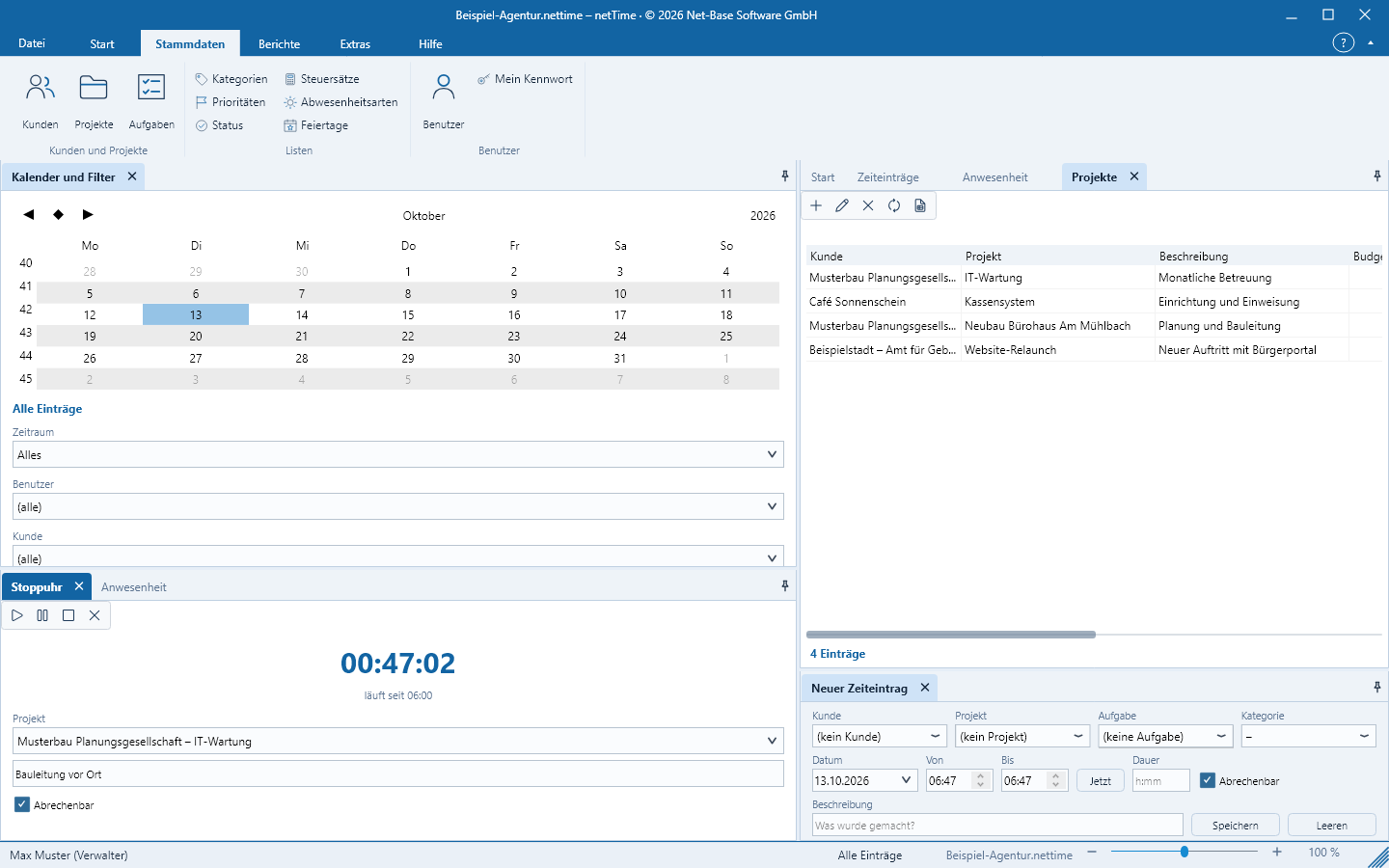
All lists are handled the same way: Add (Insert), Edit (double-click or Enter), Delete (Delete), Refresh and Export as CSV. Inactive entries remain visible in the list (column Active) but no longer appear in selection fields.
Customers
Master data > Customers and Projects > Customers. Fields in the New Customer / Edit Customer dialog:
- Name (required), Short name, Contact person
- Street, Postal code, City, Region, Country, Phone, Fax, E‑mail
- Hourly rate – applies to all customer projects that do not have their own rate; Currency (ISO), default
EUR - Rounding in minutes (0 = none) and Rounding type (None, Commercial, Round up, Round down): the duration of a time entry with From/To is rounded to this grid, for example to 15 minutes.
- Active, Note
Example: Beispiel GmbH, short name BSP, hourly rate 95.00, rounding 15 minutes, Round up.
A customer with projects or recorded time and expenses cannot be deleted; set it to inactive instead.
Projects
Master data > Customers and Projects > Projects. The list shows customer, project, description, Budget h, Consumed (sum of all time entries), Start, End, Priority, Status, Rate and Active. If a customer is selected in the filter, the list shows only that customer’s projects.
Fields: Customer (required), Name (required), Description, Hourly rate (0 = customer rate), Budget hours (0 = none), Start, End, Priority, Status, Active, Note.
The hourly rate for a time entry is determined in this order: rate in the entry, otherwise the project’s rate, otherwise the customer’s rate, otherwise the user’s rate.
A project with tasks or recorded time and expenses cannot be deleted; set it to inactive.
Tasks
Master data > Customers and Projects > Tasks – the work packages of a project, which can be nested. Fields: Project (required), Parent task (for sub-tasks), Name (required), Description, Budget hours (0 = none), Order, Start, End, Priority, Status, Active. A task cannot be subordinate to itself.
If a project is selected in the filter, the list shows only that project’s tasks. Tasks with subtasks or recorded time entries cannot be deleted.
Do not confuse tasks with the task list (ToDo) – those are personal items with a due date and reminder; see Task list and expenses.
Categories, priorities, status, tax rates, absence types
The group Lists contains five simple lists with Name, Description, Order and Active:
| List | Characteristic | Defaults in a new file |
|---|---|---|
| Categories | Color (#RRGGBB); category of a time entry | Internal, External |
| Priorities | Color; for projects, tasks and ToDos | High, Normal, Low |
| Status | Color; checkbox Means „completed“ | Planned, Active, Completed |
| Tax rates | Percent; for expenses | 19 %, 7 %, 0 % |
| Absence types | Color; for absences | Vacation, Sick, Public holiday, Other |
An entry that is still in use cannot be deleted; set it to inactive.
Holidays
Master data > Lists > Holidays. On a holiday the target working time for all users is 0, and the attendance record shows the name of the holiday. Fields in the Holiday dialog: Date, Name, Region/State, Every year on the same date (for example for May 1st; movable holidays such as Easter Monday must be entered for each year).
Holidays are not created automatically; maintain them for your region annually.