
Office-style controls
Ribbon, Quick Access, preview pane and File Backstage feel familiar from the first launch.
Looking for an Outlook replacement without browser overhead? netMail combines email, calendar, contacts, tasks and notes in a native mail client with familiar Office-style controls.
Beta notice: This version is under active development. Features and data formats may still change before the stable release.
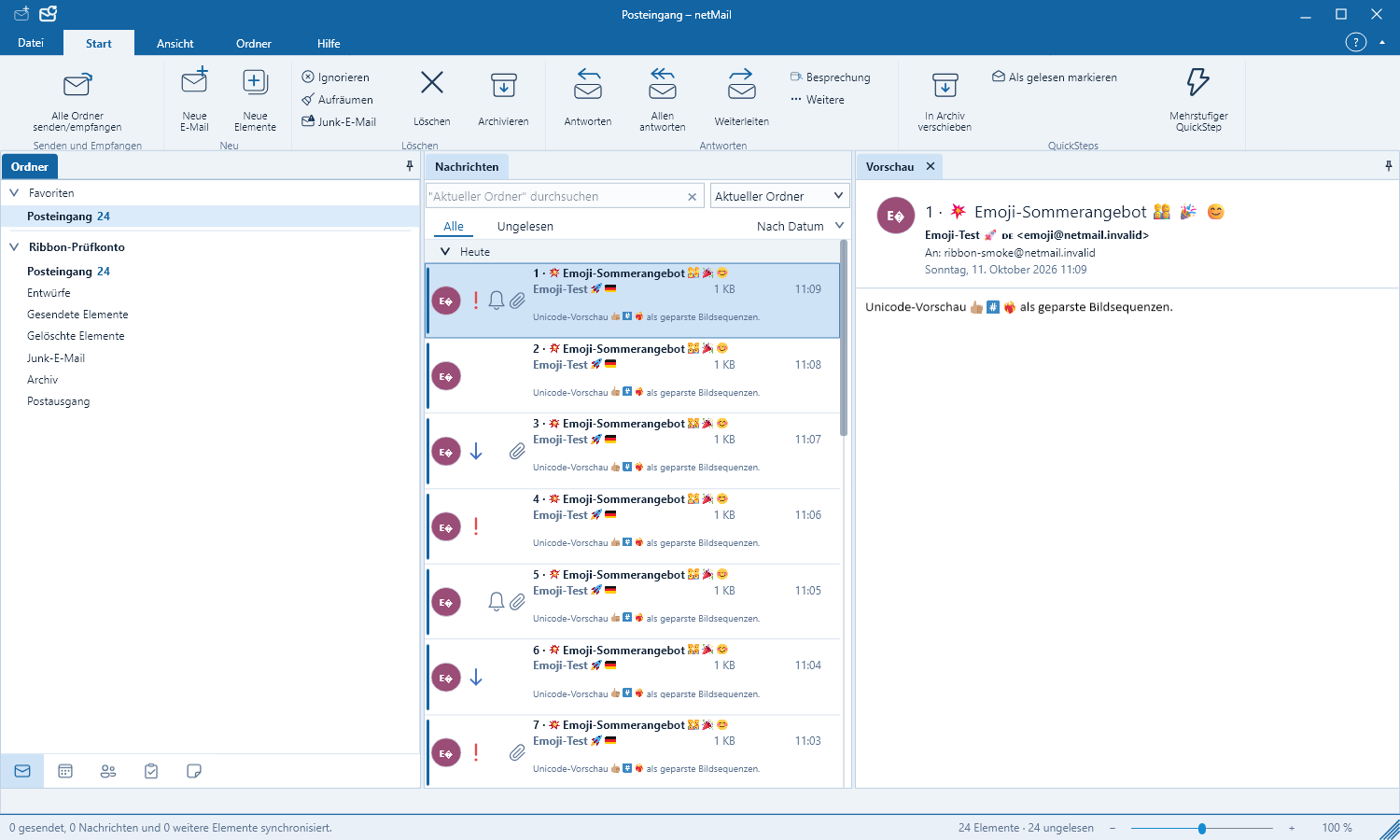
Everything in one place
The email client for Windows, Linux and Apple Silicon focuses on what a desktop client really needs to do well: respond quickly, keep large mailboxes manageable and render complex HTML emails legibly.
Ribbon, Quick Access, preview pane and File Backstage feel familiar from the first launch.
Native lists, deferred loading and a dedicated HTML renderer keep even large mailboxes responsive.
Appointments, contacts, tasks and notes are located directly alongside your messages and accounts.
At startup netMail automatically checks for signed beta packages for operating system and CPU architecture.
Current application interface
The screenshots come directly from the automated UI test of the current version. All names, messages and appointments are synthetic test data. A click opens the image at full size.
Free or Pro
During the trial all features and account types are available. Afterwards you select the appropriate edition directly in netMail.
Install, set up accounts and try all features at your leisure.
Continue using all features for free with a single IMAP account.
Enable multiple accounts, Exchange and Microsoft 365.
Frequently asked questions
Key answers about the free netMail Public Beta, supported accounts and platforms.
Yes. After the trial phase all functions remain free with an IMAP account as netMail Free. netMail Pro adds multiple accounts, Exchange and Microsoft 365. netMail is an independent product of the Net-Base Software GmbH and is not affiliated with Microsoft.
You can use IMAP and POP3 accounts as well as Microsoft 365 and Exchange. Individual synchronization features may still be limited during the beta.
Yes. Version 0.8.3.23 is available as a signed installer for Windows 11 and Windows 10 — each for 64-bit and 32-bit systems.
netMail is a native email client for Windows, Linux and Apple Silicon. Email, calendar, contacts, tasks and notes are combined in a single interface, without requiring a browser to operate.
For Linux DEB, RPM and TAR.GZ packages are available. On Macs with Apple Silicon netMail is offered exclusively as a Developer ID-signed and Apple-notarized DMG.
Windows Public Beta 0.8.3.23 · free
The Apple Silicon beta is provided as a single signed and Apple-notarized DMG.
The stable download links deliver the currently published beta for the selected platform. The displayed version number denotes the current Windows state; Linux may remain at the previously tested level for pure Windows hotfixes.
Note for macOS: The DMG is Developer ID-signed and notarized by Apple. Open it and drag netMail into the „Applications“ folder.
Windows is published with a Net-Base-Authenticode signature and timestamp. Linux is available as DEB, signed RPM and TAR.GZ; APT and RPM repositories are also signed.
Current status 0.8.3.23: Signatures, package contents, checksums and public downloads are technically verified before release.
The beta is intended for near-production testing but is not a final release. Back up important data, install updates promptly and report anomalies — especially in message rendering, synchronization and platform differences.
Send feedback


