What would you like to do?
Start with the installation or the initial steps, or open directly the topic you have a question about. The chapters correspond to netTime’s F1 help and explain each area in short steps with screenshots from the application.
The chapters do not necessarily build on each other. You can access them at any time via the menu on the left or by selecting one of the tiles below. In the application, F1 opens the same help, even without an internet connection.
WelcomeWhat netTime can do, where the data is stored and how to use the help.InstallationInstall netTime on Windows, Linux and macOS, register at first start and keep it up to date.First StepsFrom the first start through the first file, client and project to the first recorded time entry.Registration & LicenseRegistration using the Net-Base account, 30-day trial, read-only mode and license in the Net-Base portal.InterfaceRibbon, File menu, side pane, lists, input area, status bar and display size.FilesCreate, open, sign in, close, back up and clean the .nettime file.Master DataClients, projects, tasks, categories, priorities, statuses, tax rates, absence types and holidays.Time BookingInput area, editor, duration rule, rounding, overlap lock and the time entries list.StopwatchStart, pause, stop and cancel; time limit; the state is preserved in the file.AttendanceRecord arrival, departure and breaks; actual, target and balance per day; print attendance report.Time Range & FiltersCalendar, range from Day to All, filters by user, client and project, and search.Tasks & ExpensesTask list (ToDo) with due date and reminder, expenses with receipt, tax rate and billing.AbsencesEnter vacation, sickness and other absences; effect on target time, approval, report.Reports16 reports from timesheet to attendance report, preview, print and export as PDF, XLSX, CSV, HTML, RTF.Backup & ExportBackup copy, clean file, CSV per list, JSON full export and import, older files.Users & RolesRoles Administrator, Recorder and Viewer; create users, passwords, target times, delete data.OptionsDesign, language, personal settings and the file options for time entries, stopwatch and reports.Keyboard ShortcutsAll keys for program, file, time entries, lists, search, dialogs and help windows.UpdatesAutomatic check, update under Windows from the program, download page for Linux and macOS.PrivacyWhich data remains local, what is sent to Net-Base, protection in the file, deletion per person (GDPR), license notes.TroubleshootingSolutions for registration, expired trial, files, passwords, roles, common messages and contact. Key areas at a glance
netTime combines project times, attendance, master data, tasks, expenses and reports in a single interface. The following examples show the main areas; all illustrations use fictitious sample data.
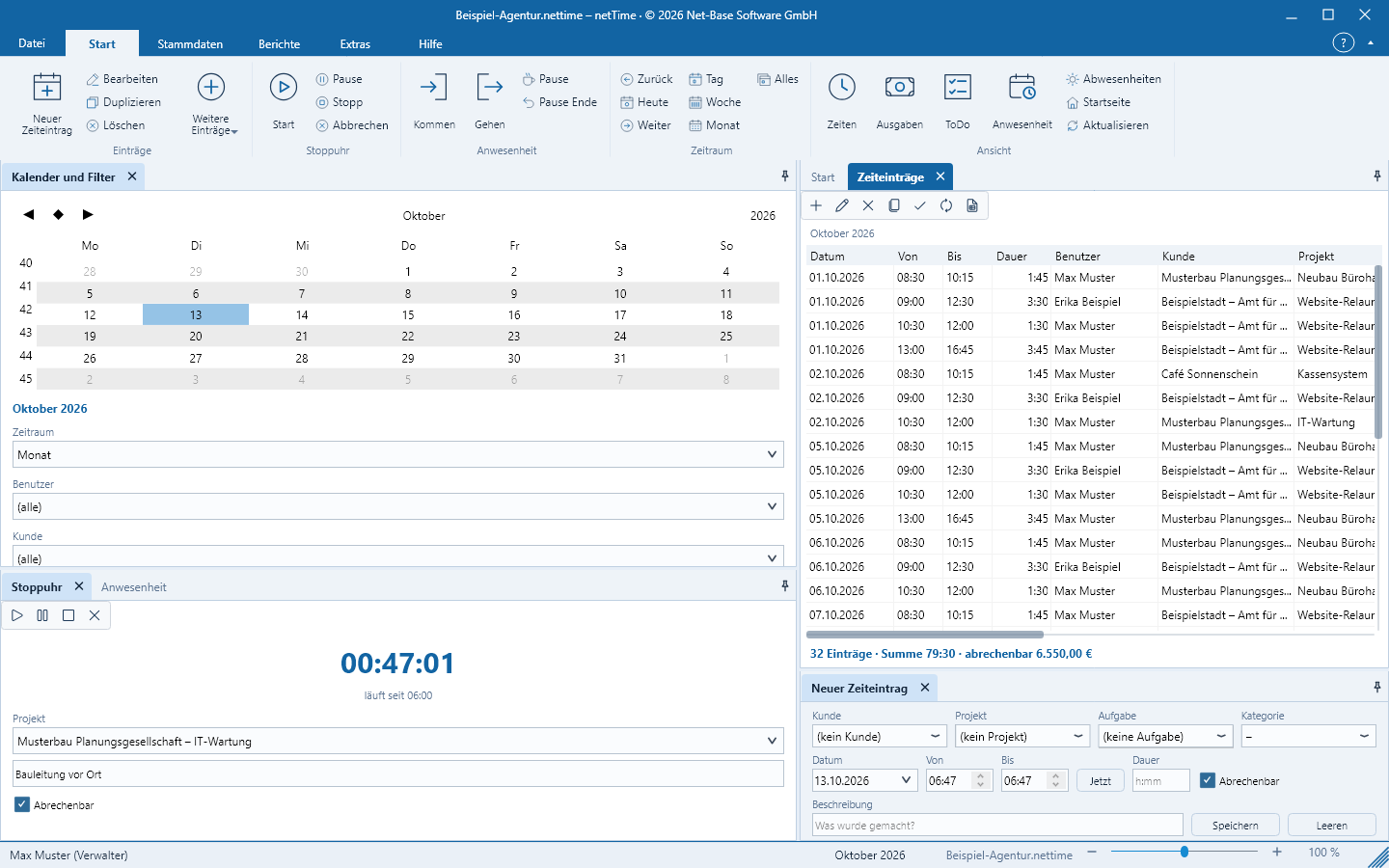
Record time
A time entry in a single row: customer, project, task, From and To or duration. On the left: calendar and filters, stopwatch and attendance; center: the list for the selected period.
More about time entries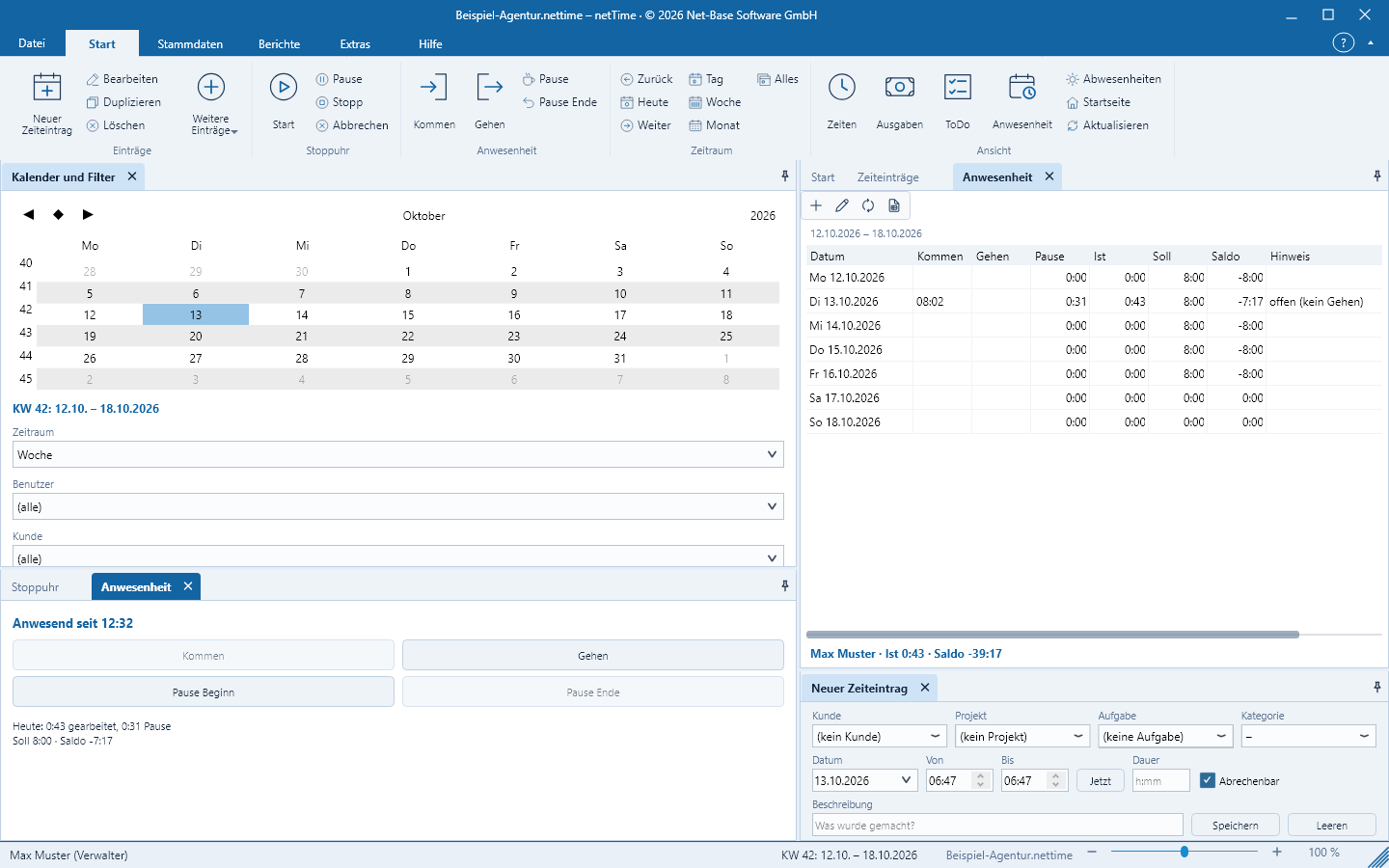
Attendance
Book clock-in, clock-out and break with one click. netTime calculates for each day actual, target and balance from target times, public holidays and absences.
More about attendance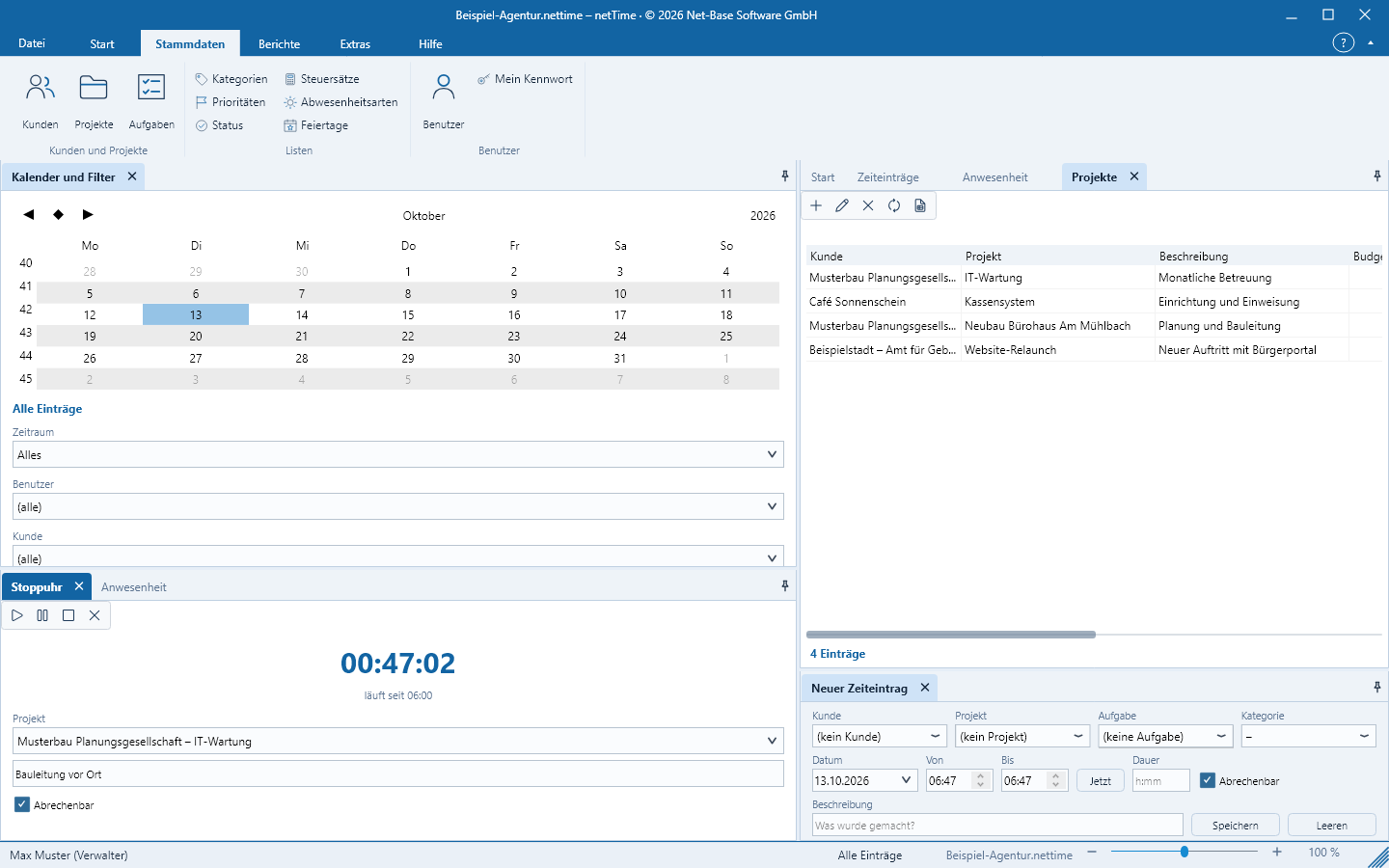
Master data
Customers with hourly rate and rounding, projects with budget and consumption, tasks, lists and public holidays — the basis for time entries and reports.
More about master data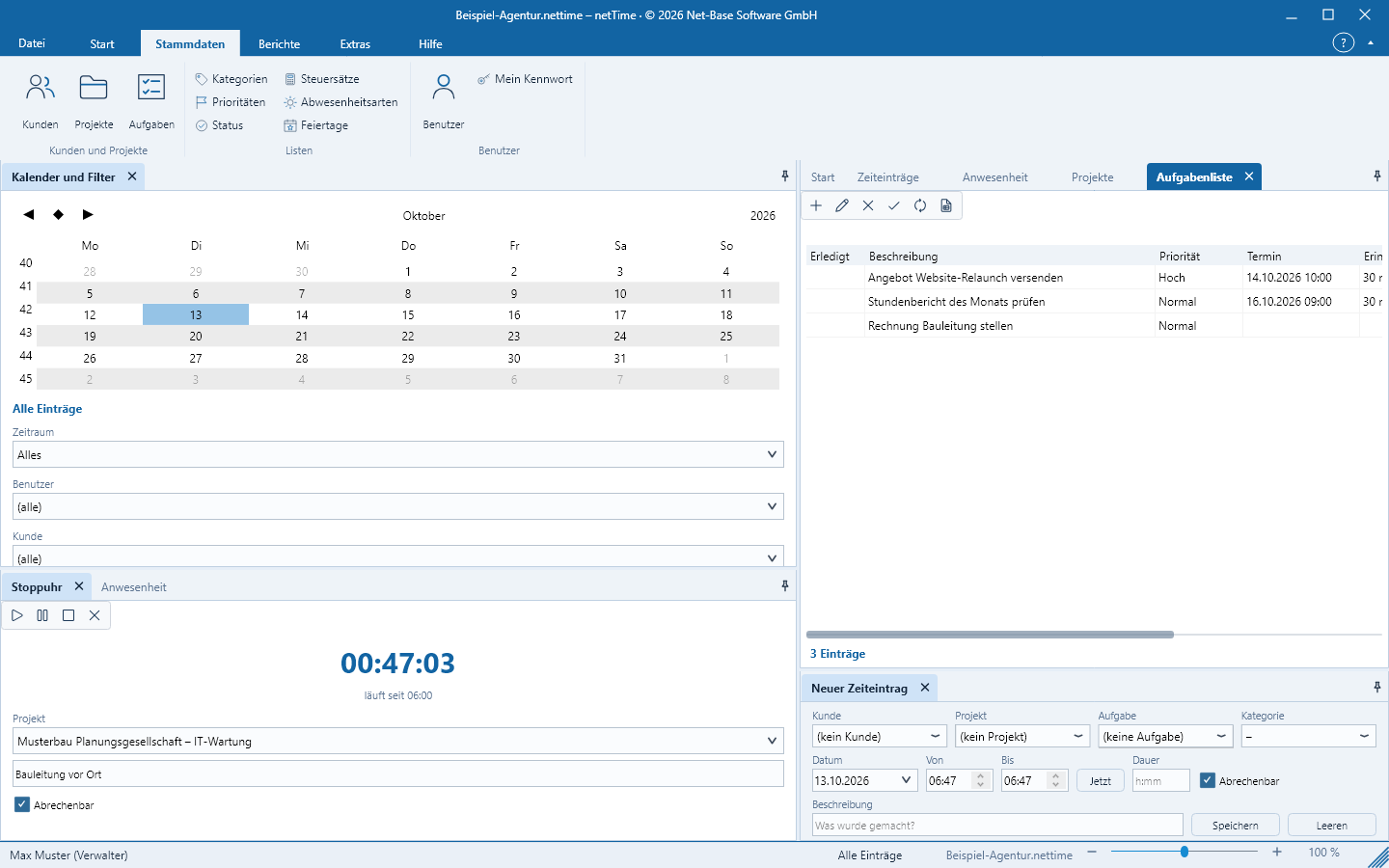
Tasks and expenses
Personal tasks with due date and reminder as well as expenses with receipt, tax rate and billing — assigned to customer and project.
More about tasks and expenses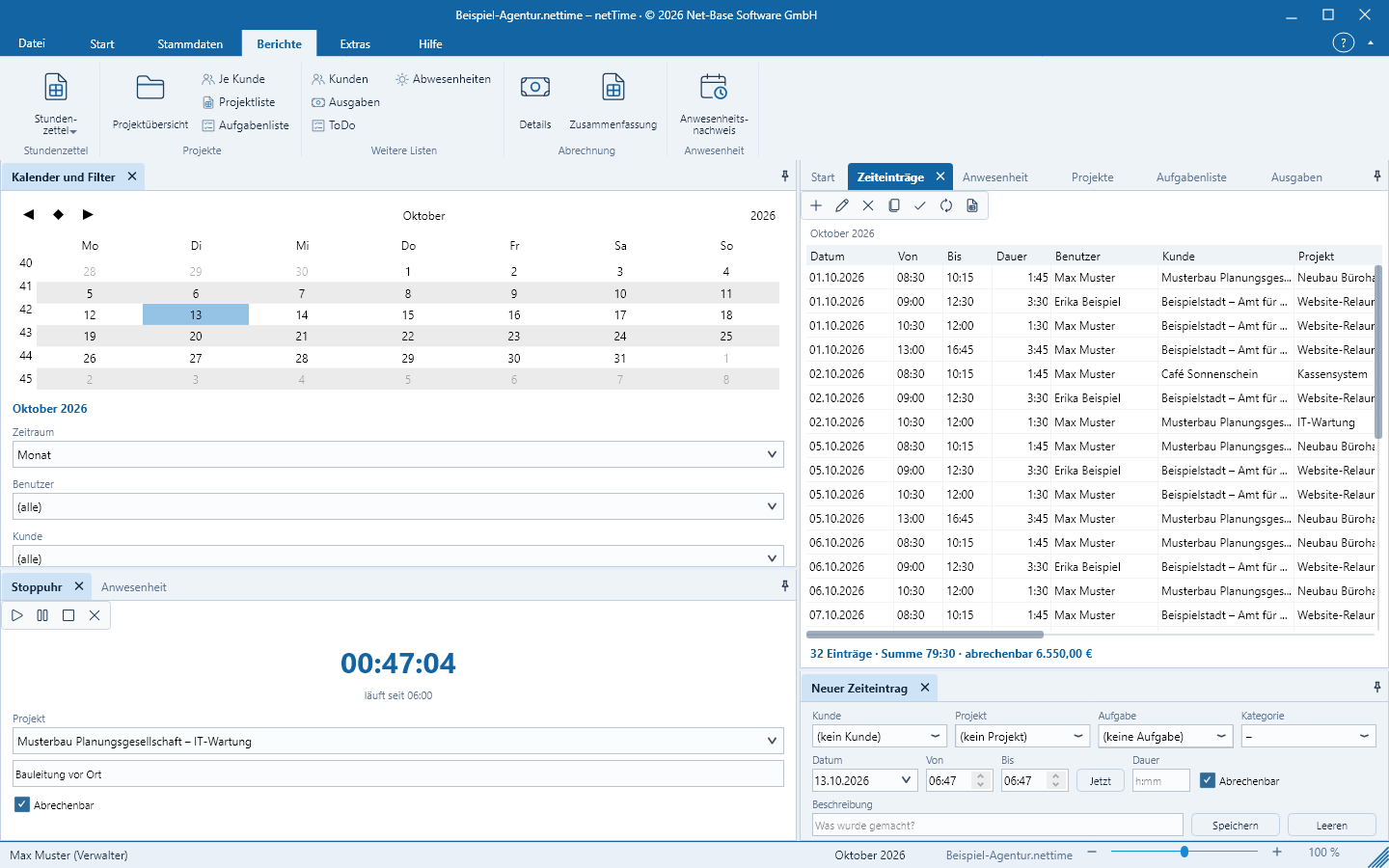
Reports
Timesheets, project overview, invoicing and attendance records for the selected period, with preview, print and export as PDF, XLSX, CSV, HTML and RTF.
More about reports