Validate e-invoice: ZUGFeRD, Factur-X, XRechnung
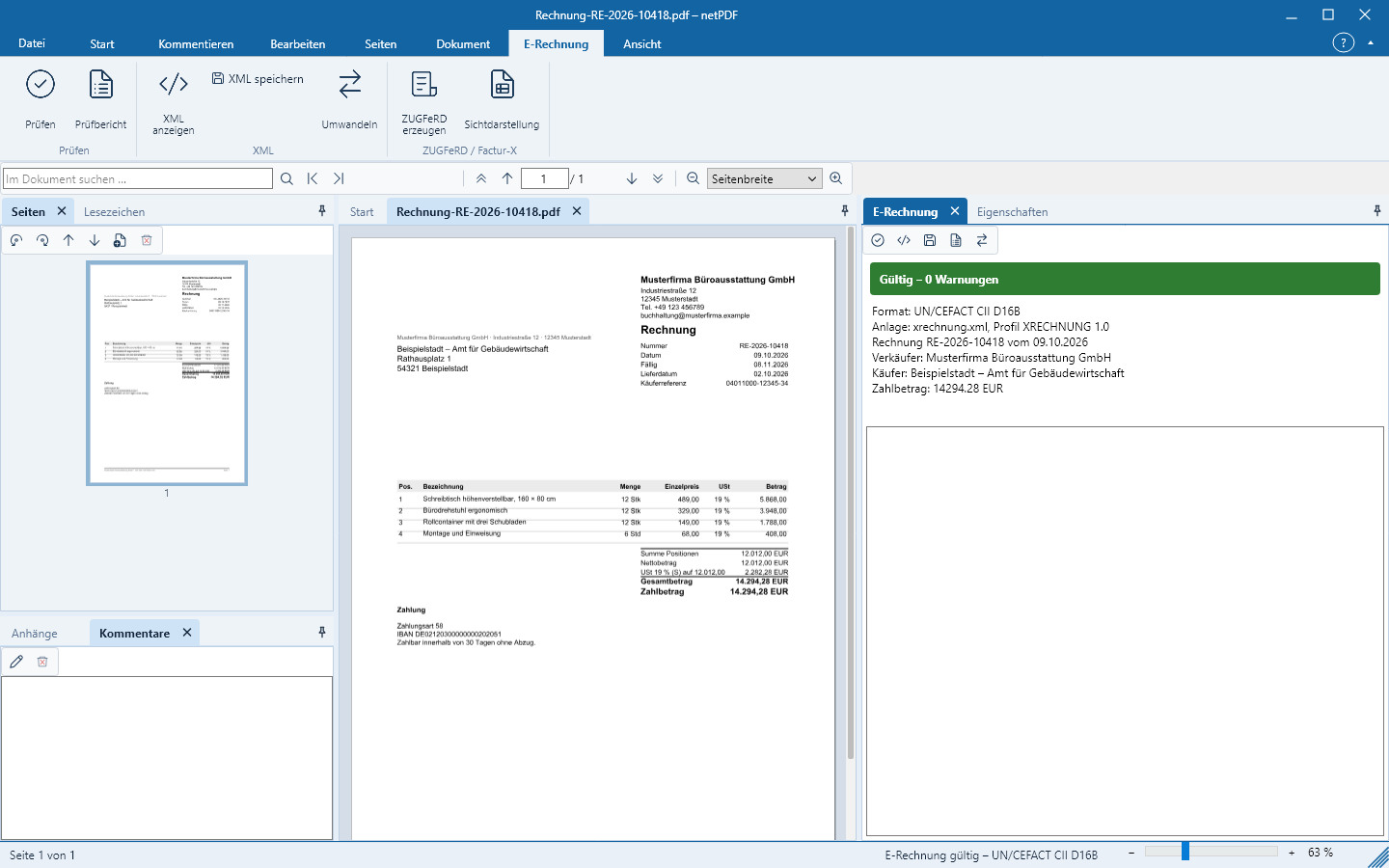
netPDF automatically detects embedded e-invoices and validates them as soon as you open the file.
Opening an e-invoice
- ZUGFeRD or Factur-X is a PDF with an embedded XML invoice. Open it like any PDF.
- XRechnung and other pure XML invoices are also opened via Open. netPDF generates a readable presentation from the data.
The side panel E-Rechnung shows format, profile, invoice number, amounts and the validation result. The status bar additionally reports whether the invoice is valid.
Understanding the validation result
netPDF validates against the European standard EN 16931, against the rules of the respective profile (for example XRechnung or Peppol) and recalculates totals and taxes. Each finding names the rule, the affected element and provides a clear description. Errors render the invoice invalid, warnings point out issues.
Validation report and XML
- Validate repeats the check, for example after a change.
- Validation report saves the result as an HTML or text file, for example for accounting or the invoice issuer.
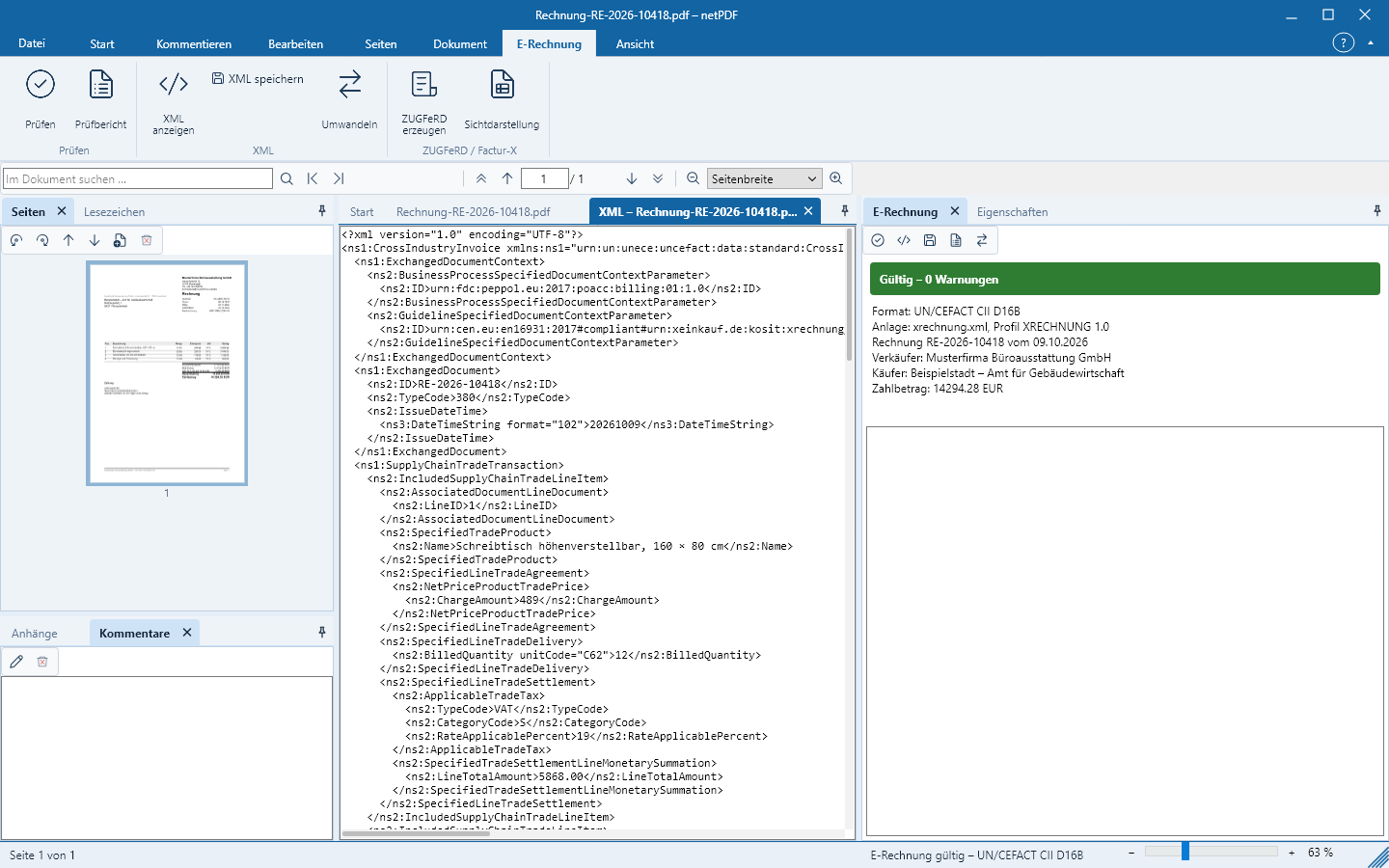
- Show XML opens the invoice data in a separate window; Save XML writes it to a file.
Validate an entire folder
E-Rechnung → Ordner prüfen validates all e-invoices in a folder including subfolders and lists each file with its result and findings.
Supported formats
ZUGFeRD 1.0 and 2.x, Factur-X (MINIMUM, BASIC WL, BASIC, EN 16931, EXTENDED), XRechnung (UBL and CII), Peppol BIS Billing, EN 16931 in UBL and CII, the CIUS from the Netherlands, Romania, Portugal and Croatia, OIOUBL, FatturaPA, Facturae, ebInterface, KSeF, ISDOC and Finvoice.