Manage pages: rotate, reorder, merge, split
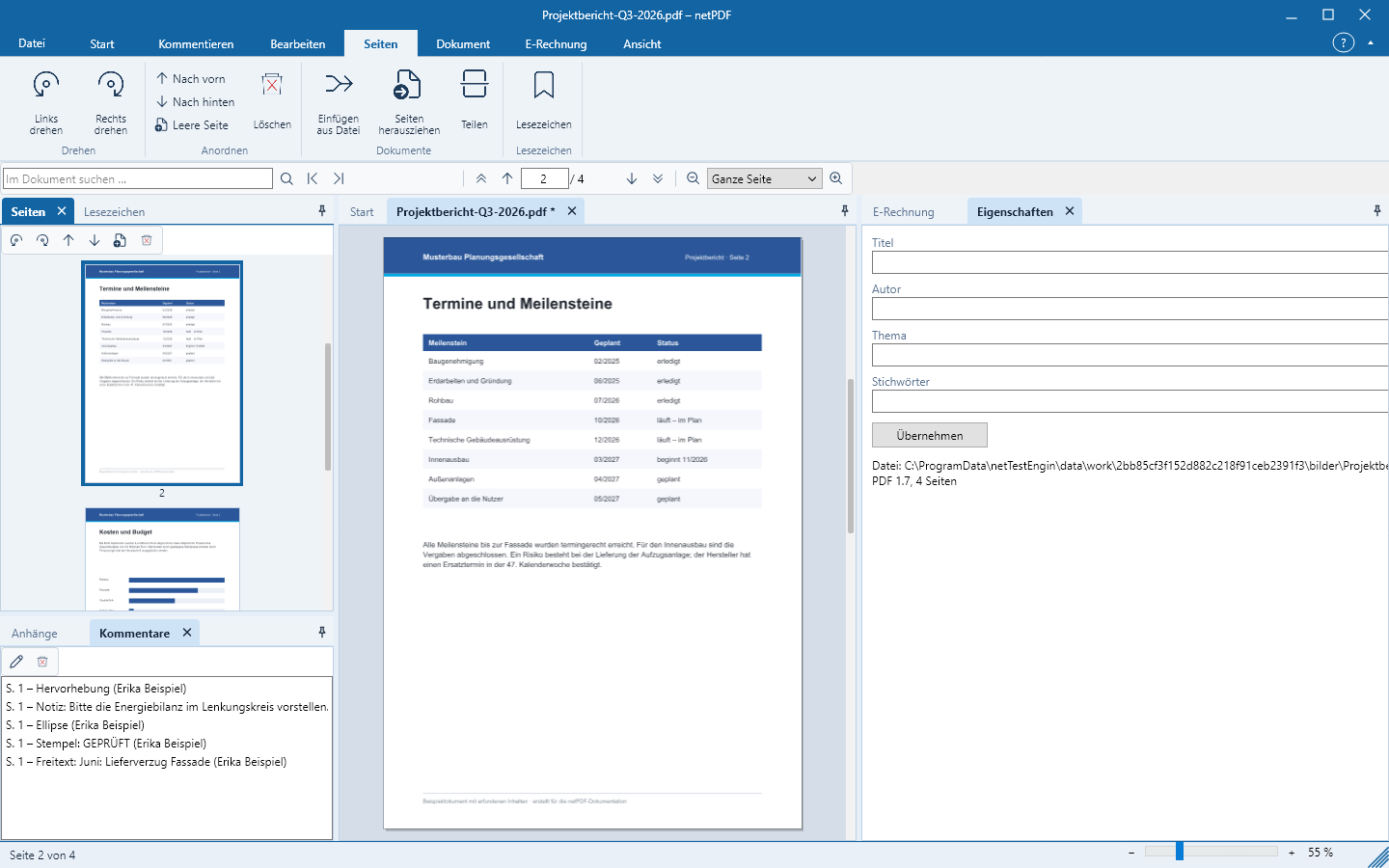
All page commands are on the Pages tab. They apply to the page selected in the thumbnails.
Rotate, move, delete
Select a page in the thumbnails. Rotate left and Rotate right rotate it permanently by 90 degrees. Bring forward and Send backward move it, Blank page inserts an empty page after it, Delete removes it after confirmation. In the thumbnails you can also drag pages to a new position with the mouse.
Merge PDF files
Insert from file inserts all pages of another PDF after the current page.
Extract pages
Extract pages saves selected pages as a new PDF. Specify pages as in the print dialog, for example 1-3, 5.
Split a document
Split divides the document into multiple files with an equal number of pages each. netPDF numbers the files consecutively, for example bericht-001.pdf, bericht-002.pdf.
Format pages
The group Pages → Formatting applies header and footer to all or selected pages at once (including page numbers and Bates numbering), watermarks such as DRAFT or CONFIDENTIAL, and a background. Remove formatting takes them out again.
Bookmarks
Bookmarks creates a bookmark for the current page. In the pane of the same name you can rename or delete it.