Net-Base netERP Manual

netERP Manual

netERP simply explained: Installation, Interface, Lists, Master data, Documents, Tickets, SLA contracts, CRM, Form designer, Form script, Reports and Administration.

Overview

netERP Manual Overview

Suitable service and technology paths

Key in-depth resources on this topic

netERP explained

Choose a topic. Each guide takes you to the goal in short, clear steps.

What would you like to do?

Start with the installation or open directly the topic you have a question about. Each chapter explains the key steps in plain language and shows relevant examples from netERP.

The chapters do not necessarily build on one another. You can therefore access them at any time via the menu on the left or via one of the tiles below.

Installation & LoginInstall the netERP client on Windows, Linux and macOS, connect to the server, log in and keep it up to date.Getting StartedRibbon, modules as tabs, list and form, dashboard, language, theme and keyboard shortcuts.Lists & SearchSearch and sort lists, choose columns, group by columns and search all modules with full-text search.Master DataCreate customers, suppliers, leads and items; maintain contact and delivery addresses; number assignment, deletion and record locking.DocumentsCapture quotes, orders, delivery notes, invoices and purchase documents with line items and bills of materials, and print in German or English.Tickets & EmailSet up mailboxes, create tickets from emails, manage statuses and deadlines, reply with templates and record calls.SLA ContractsCreate service contracts from templates, define response and resolution times, track automatic tickets and quotas.CRMThe CRM window with partner record, activities, sales-opportunity pipeline, campaigns, GDPR consents and email assignment.Form DesignerRebuild forms using the palette, object inspector and object tree, add tabs, activate versions and save the designer layout.Form ScriptImplement events like BeforeSave or OnExit in Pascal, validate and set fields, cancel saving — with help and examples on F1.ReportsDesign reports in the report designer, inherit letterhead, set default reports per document type and language.AdministrationAdmin Center in the browser, users and Active Directory, single sign-on, roles and permissions, tenants, jobs, certificates and full-text search.HelpSolutions for common questions about connection, login, updates and locks, and how to contact support.

Main areas at a glance

netERP connects master data, documents, tickets and customer contacts in a single interface. The following examples show the main areas. All illustrations originate from automated tests using fictional sample data.
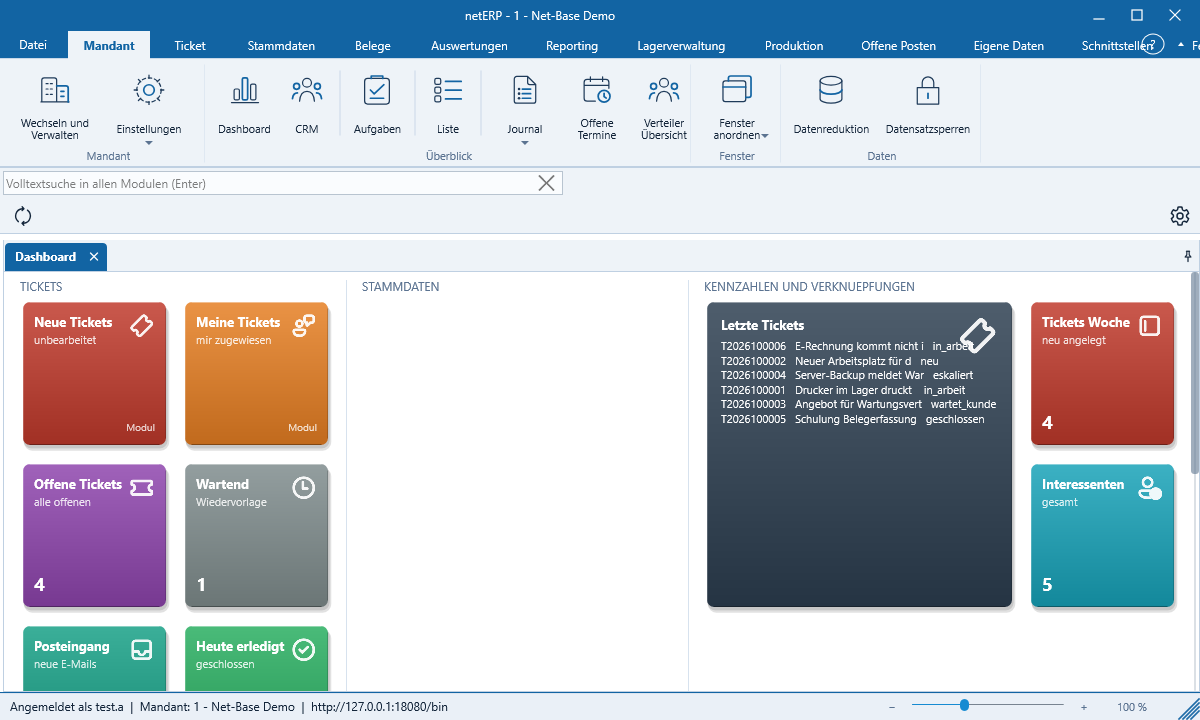
netERP dashboard with tiles for tickets and key metrics

Dashboard and interface

Ribbon menu, modules as tabs, and a dashboard with tiles for open tickets, key metrics and links.

More about the interface
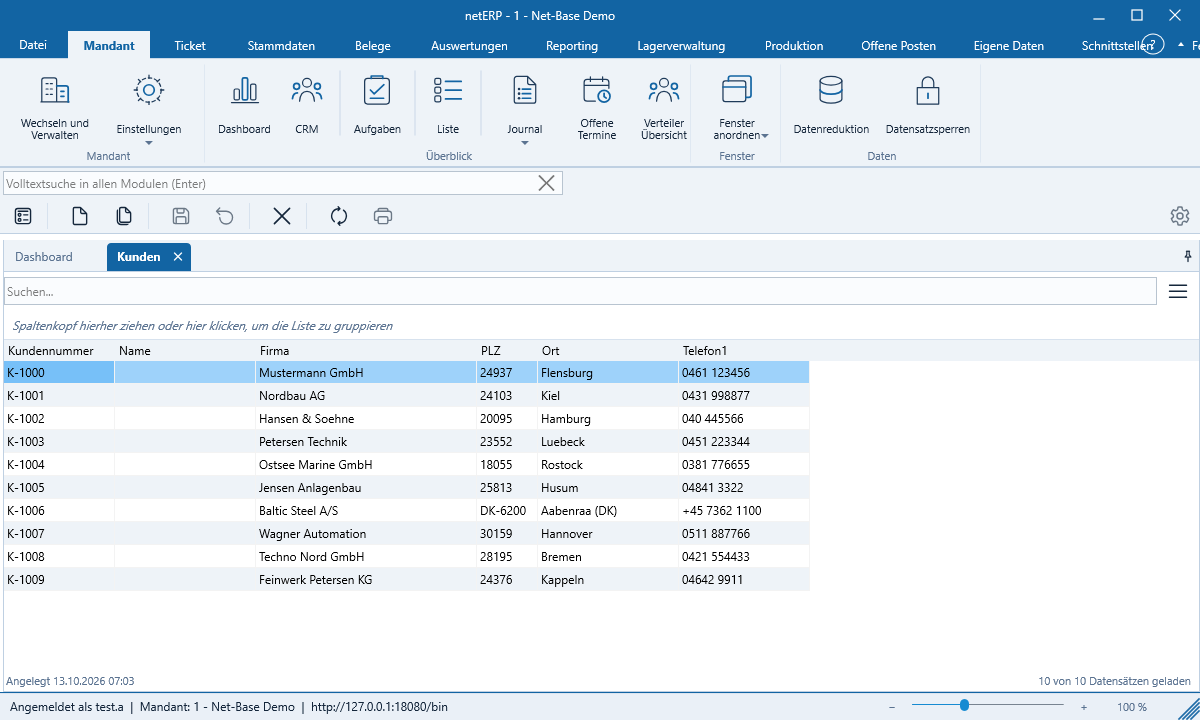
Customer list in netERP with search field and columns

Lists and search

Search, sort, select columns and group by any column — fast even with large data volumes.

More about lists
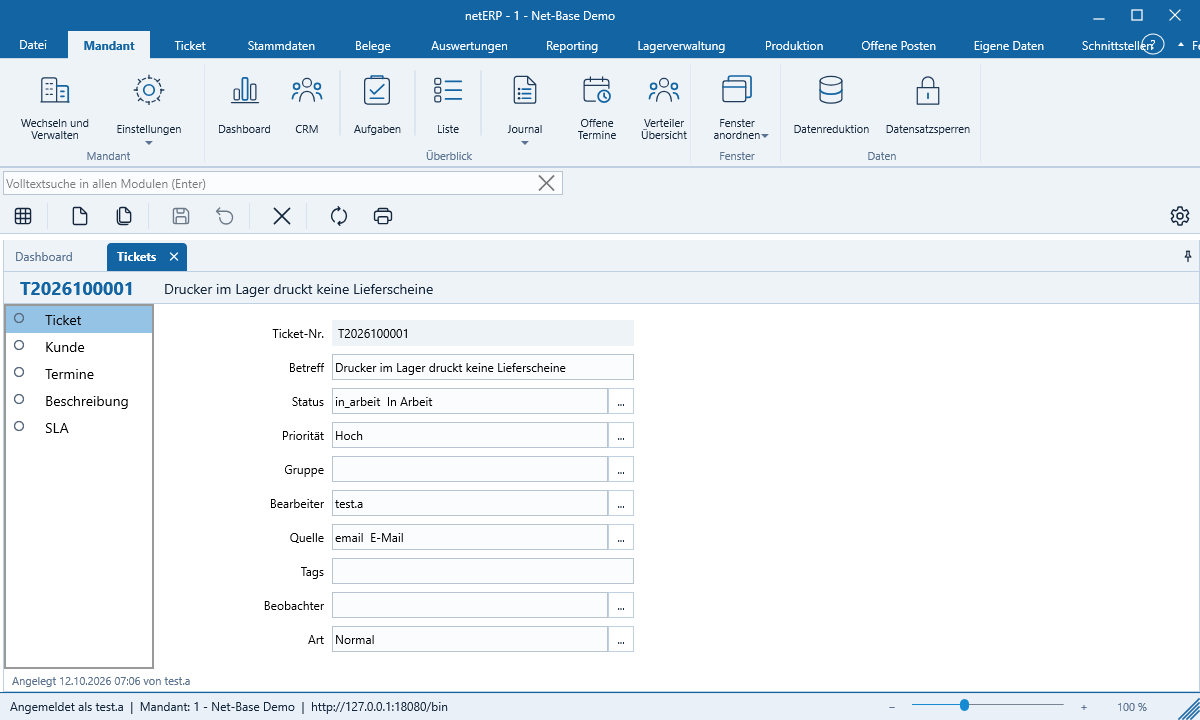
Example ticket in netERP with status and priority

Tickets and email

Emails become tickets with status, priority and deadlines; the entire history remains attached to the ticket.

More about tickets
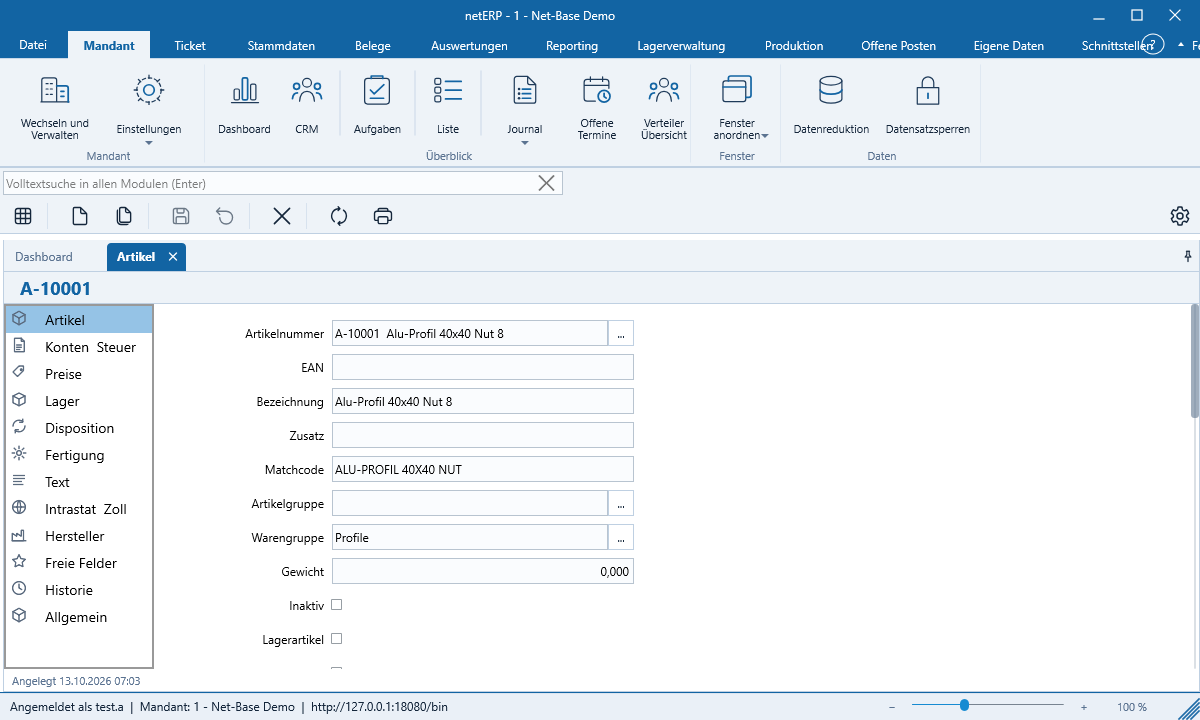
Item form in netERP with example item

Master data

Customers, suppliers and items with addresses, prices and history — numbers assigned only on save.

More about master data
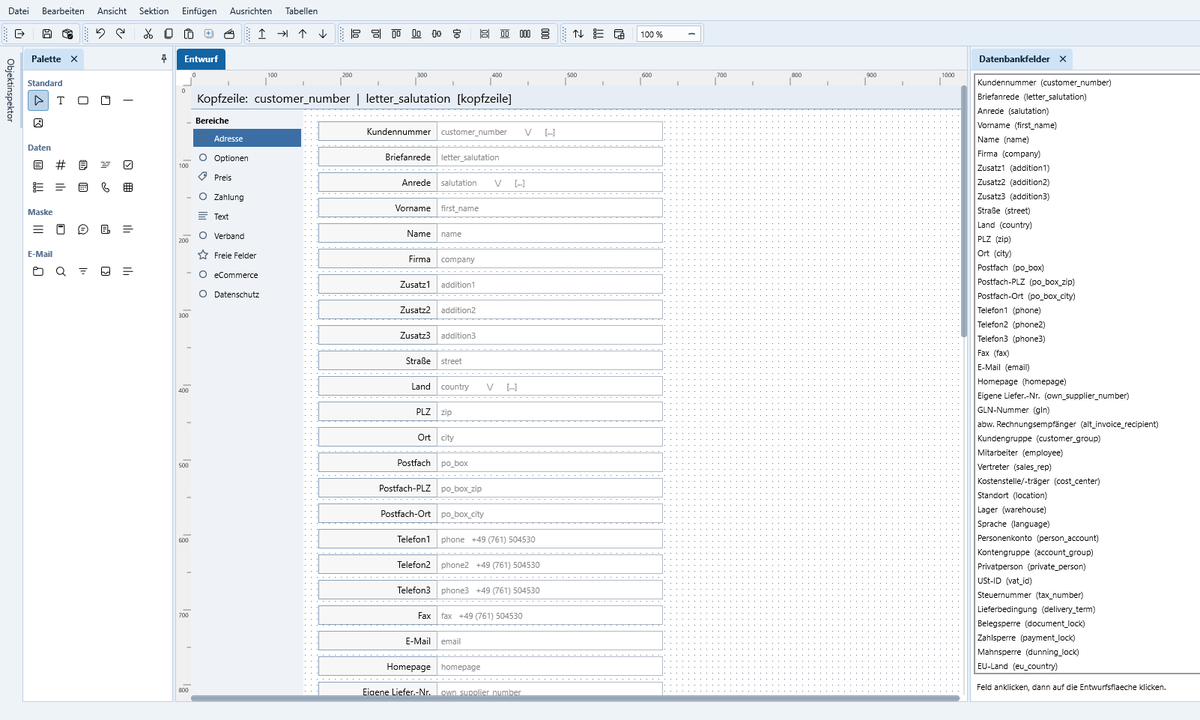
netERP form designer with palette and database fields

Customize forms

Each form can be modified in the built-in designer and extended with custom validations via script.

More about the designer
netERP Manual
As of October 2026 · Public Beta

All illustrations were generated automatically with netERP using fictional sample data.

Next step

If you have a concrete modernization, API or platform question, we should establish the technical scope clearly and early.

Net-Base evaluates existing systems, data paths, interfaces and target platforms not in isolation, but in the context of domain logic, operations and future expansion.

  • Current state, target state and technical risks are assessed jointly.
  • REST, data access, portals and rollout are not deferred to a later stage as secondary consequences.
  • You can see early on which path is economically and operationally viable.