Managing customers, suppliers and items
You can find master data on the Master Data tab. The data model is based on SelectLine.
Partners: Customers, Suppliers, Prospects
Under Master data → Master data you will find customers, suppliers, prospects, employees, items and units of measure. In a partner’s form, under Address you will find Contact addresses (contact persons) and Delivery addresses, each with a default entry. The History section shows all document lines for the partner, grouped by document type.
Items
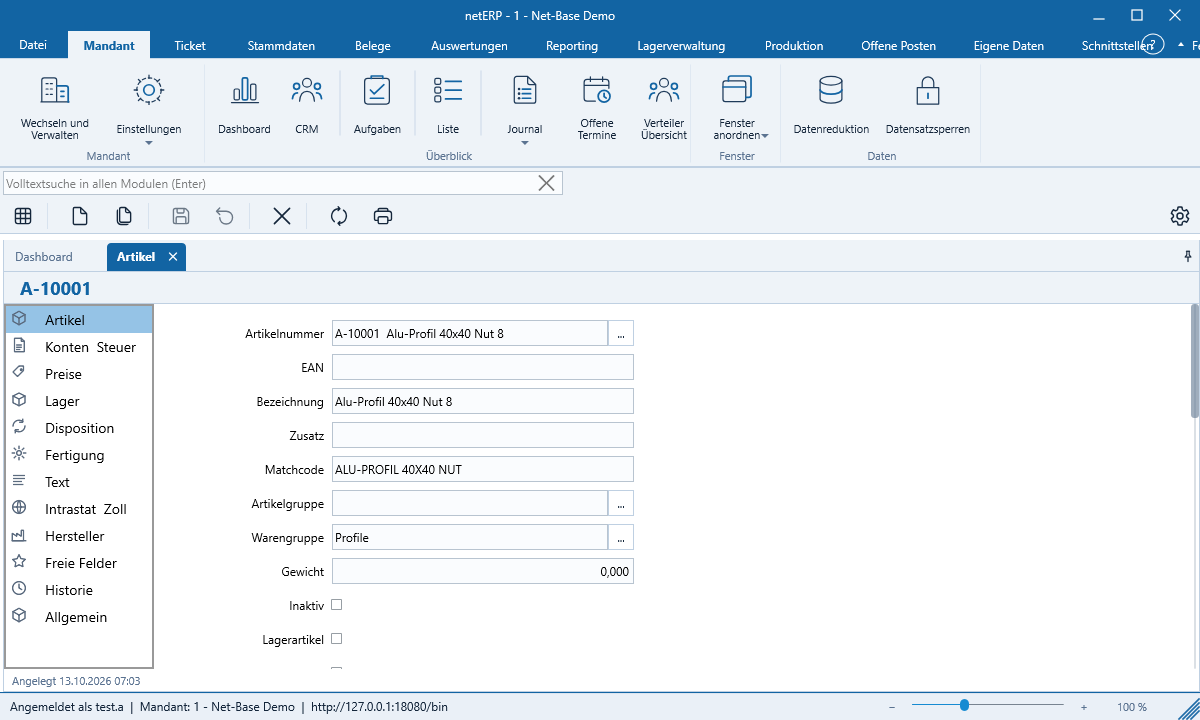
The item form is divided into Item, Sales, Prices, Customer Prices, Purchasing, Stock, Planning, Accounts and Tax, History, Bill of Materials, Variants, Attributes and Custom Fields.
Input aids
- Lookup fields offer matching entries as you type; … opens the search, Manage… opens the list maintenance.
- Date fields open the calendar with F4 or Alt+↓; h sets today’s date.
- Longer text fields open an editor with formatting via ….
Numbers are only assigned when saving
New or Copy creates a draft; the number field shows „will be assigned when saved.“ The customer, item or document number is only generated on the first save. If you cancel, no number is lost — number sequences remain contiguous. Drafts are visible only to the user who created them.
Deletion
netERP never deletes permanently. A deleted record is marked as deleted and disappears from the lists, but remains stored in the database.
Record lock
If you open a record that a colleague is currently editing, netERP reports who has been editing it since when and on which workstation. You can open it read-only or cancel. A yellow bar in the form indicates the lock; once the record is free, Edit appears there. Administrators can take over a lock.