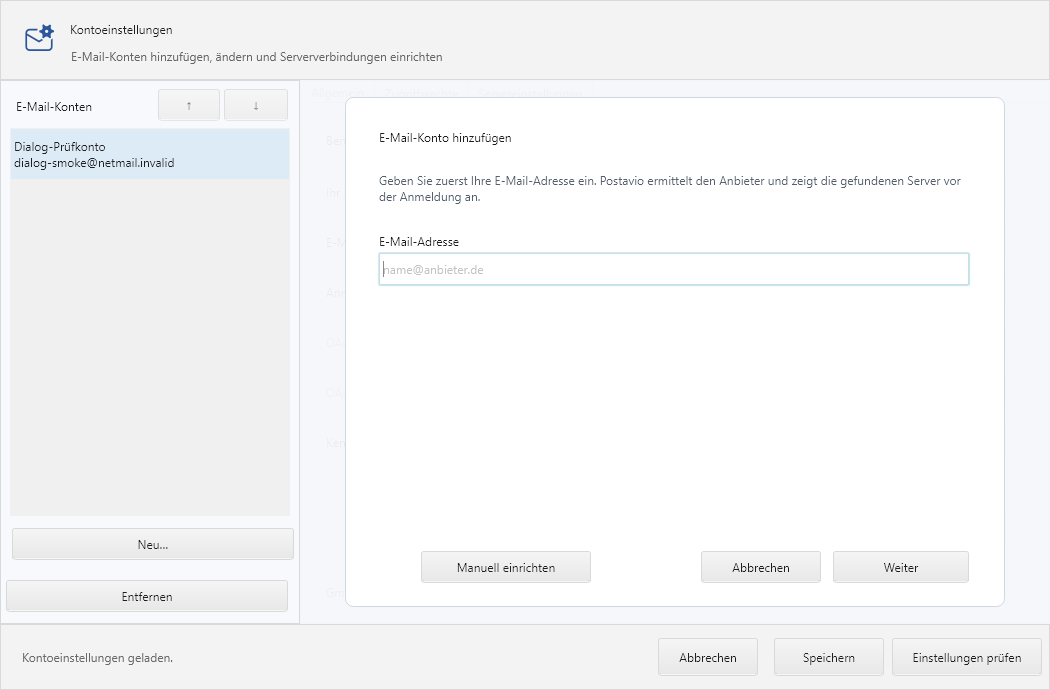
Set up email account
In most cases your name and email address are sufficient. netMail automatically discovers the appropriate server settings.
Automatic setup
- Enter your name and your full email address.
- Click Next.
- For Microsoft 365, Microsoft’s secure sign-in will open. Sign in there and confirm access.
- Finally, verify the displayed account name.
netMail uses only adequately secure settings. If no clearly secure configuration can be found, you can enter your provider’s settings manually.
If the login name differs
The username does not have to match the email address. Choose manual setup and enter the login name separately. This is common for corporate accounts and older Exchange environments.
What information you need
For IMAP you need the incoming server, port, connection security and login name. For sending you need the SMTP server, port and connection security. For Exchange, the EWS address or automatic discovery is usually sufficient. Passwords and access tokens are stored by netMail in the operating system’s protected credential store.