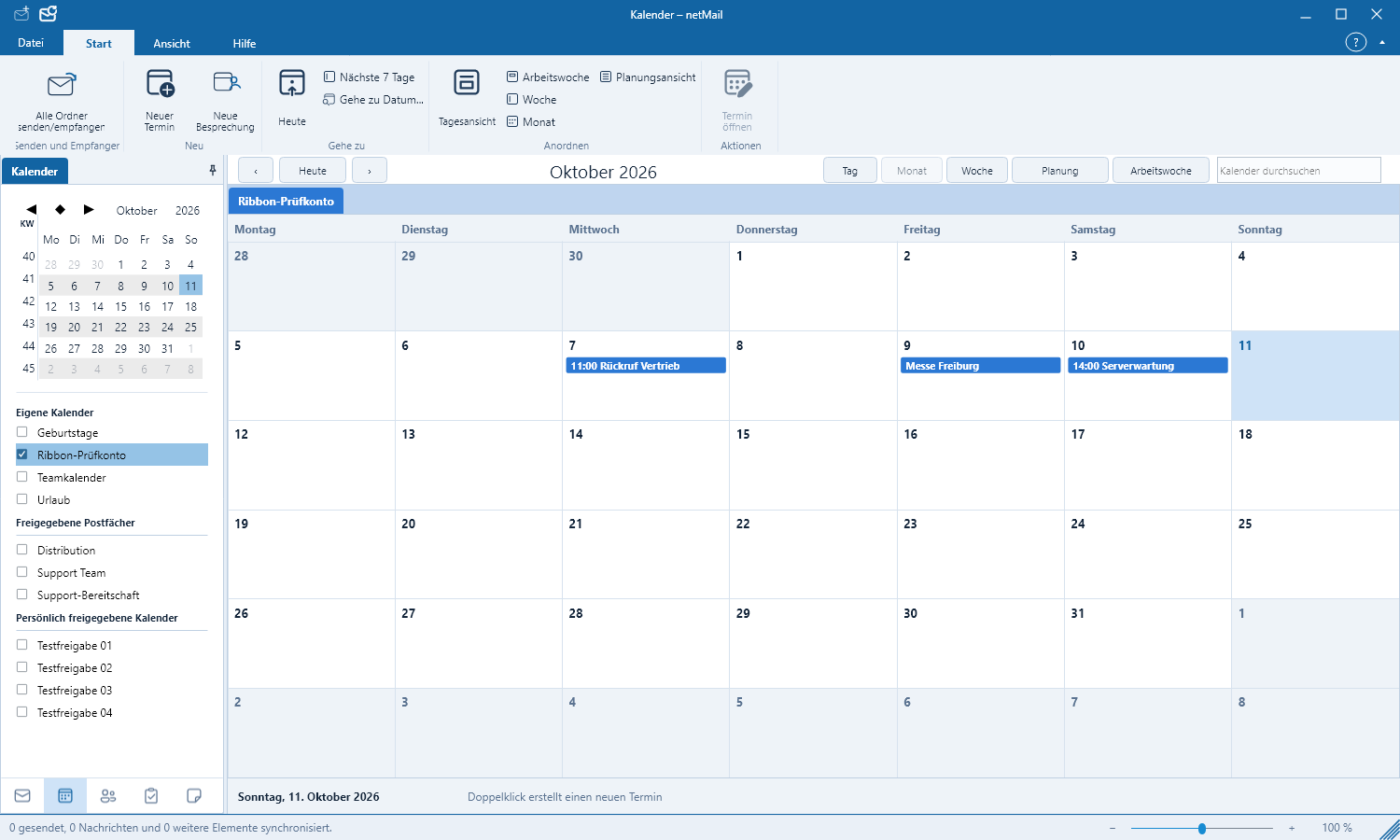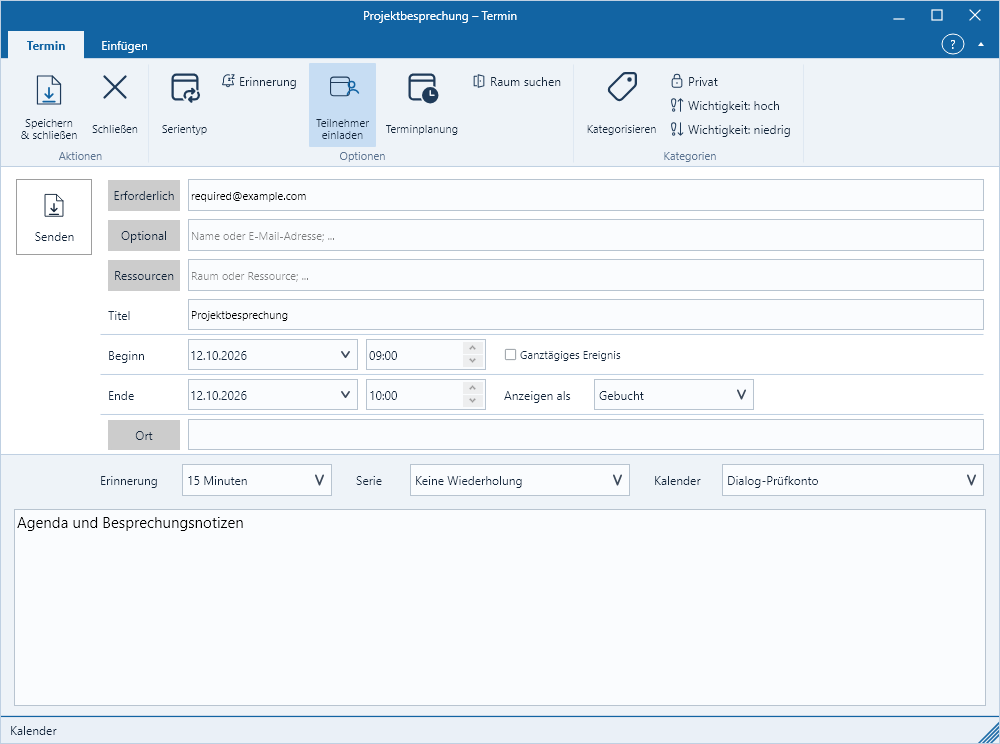
Calendar and Appointments
In the calendar you schedule appointments for yourself and — depending on your account and permissions — for shared calendars.
Choose a view
Switch to Calendar at the bottom left. In the ribbon select Day, Work Week, Week or Month view. Use the arrows to move to the previous or next period; Today returns you to the current date.
Create an appointment
- Click New Appointment or double-click an empty time slot.
- Enter the title, start and end times.
- Add location, reminder, category and description.
- Select the calendar and save.
You can drag an appointment in the calendar or adjust its edges. For a read-only shared calendar, edits are not possible; netMail still displays it.
Multiple calendars
Enable on the left the calendars you want to view together. Colors help with identification. Shared calendars appear only if your server reports the required permission.