
netMail explained simply
Choose a topic. Each guide leads you through concise, clear steps to reach the goal.
What would you like to do?
Start with installation and account setup, or open the section you have a question about directly. Each chapter explains the key steps in plain language and shows relevant examples from netMail.
The chapters do not necessarily build on each other. You can therefore jump in at any time via the menu on the left or via one of the tiles below.
Key areas at a glance
netMail combines email and personal organization in a single interface. The examples below show the five main areas. All illustrations originate from automated tests with synthetic data.
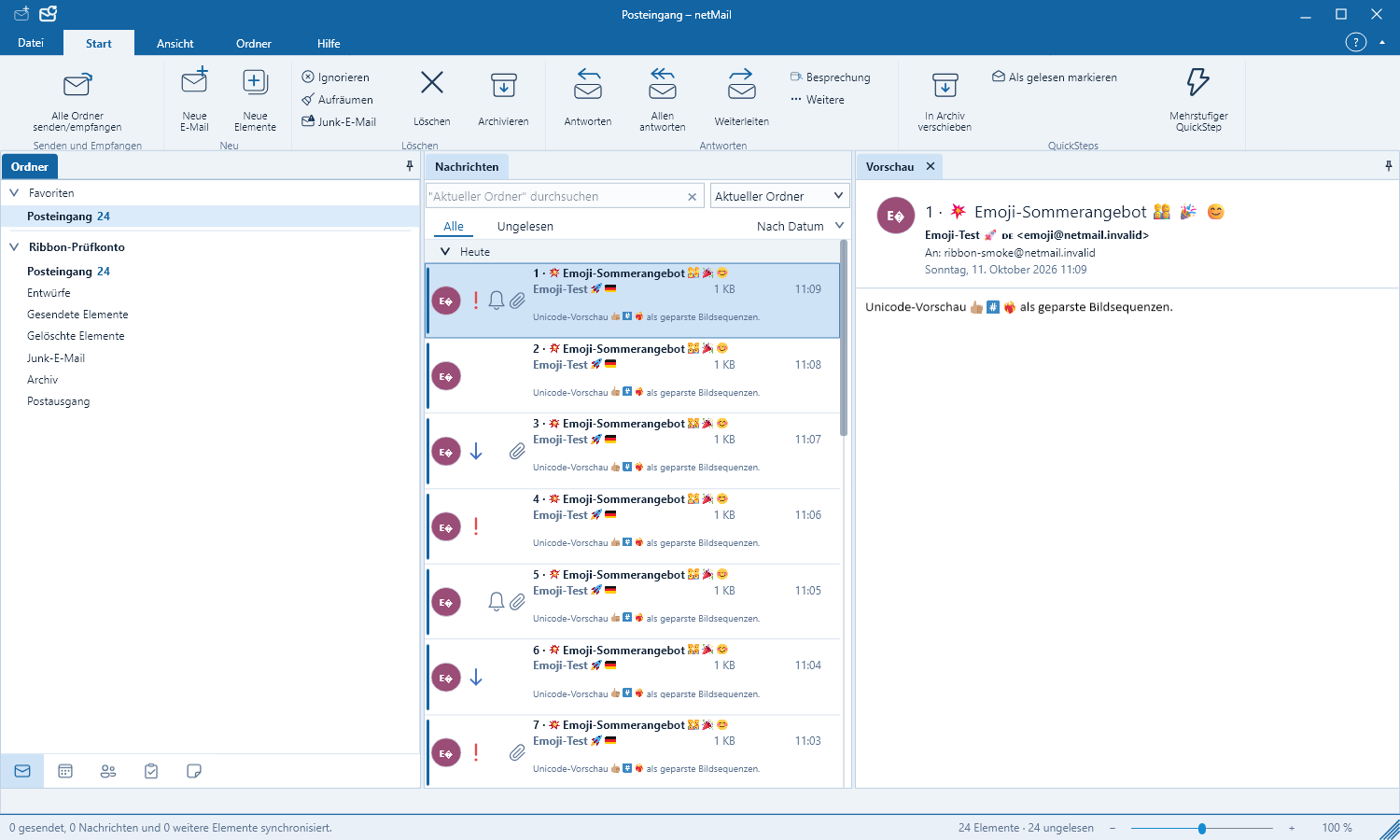
Manage email with a clear overview
Folders, message list and reading pane remain visible at the same time. You can search, sort and move messages and safely open attachments without losing context.
Read more about emails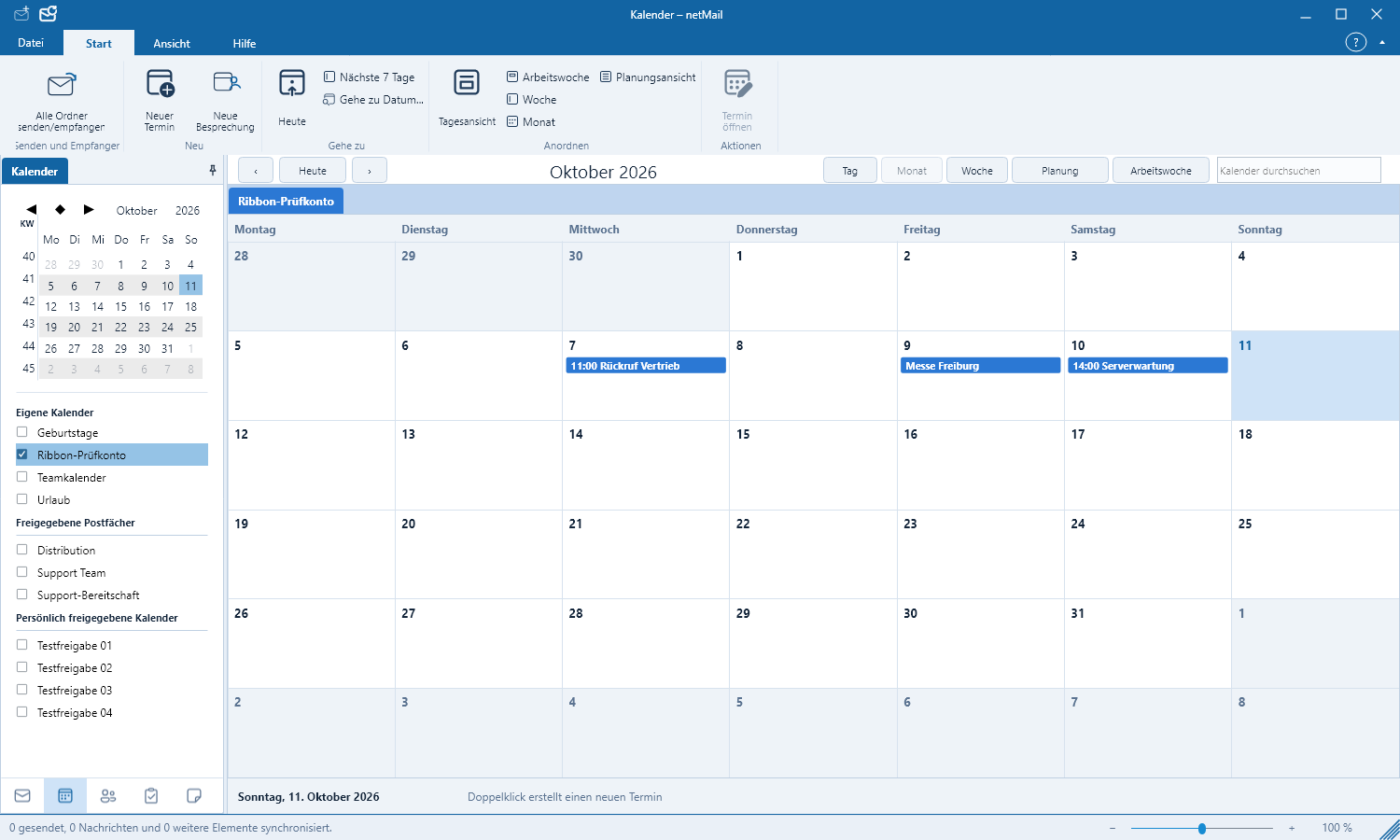
Schedule appointments and manage calendars
Switch between day, week and month views and show multiple personal or shared calendars. Colors immediately indicate which calendar an appointment belongs to.
Read more about the calendar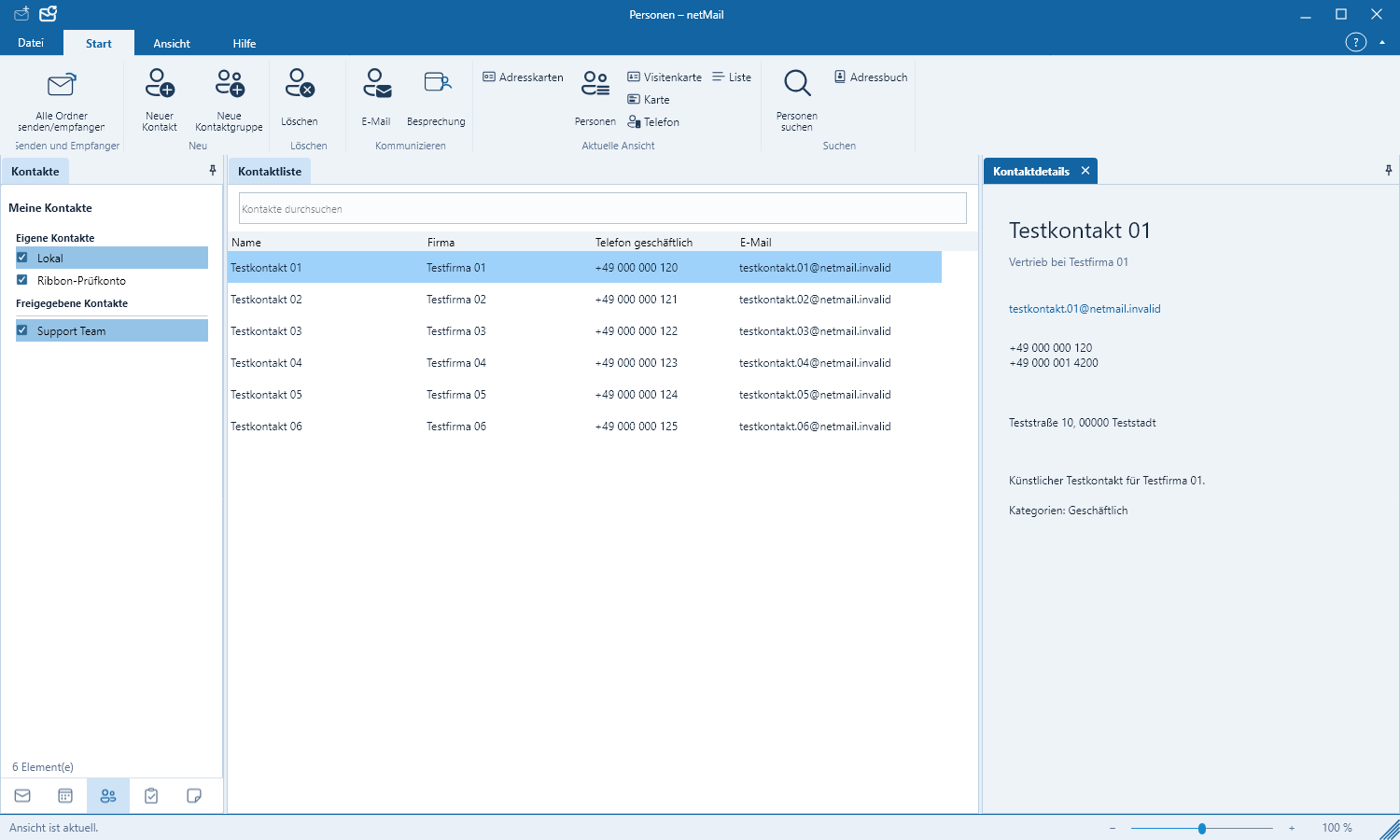
Find contacts quickly
Names, companies, email addresses and phone numbers are available in one place. From a contact you can start a new message directly.
Read more about contacts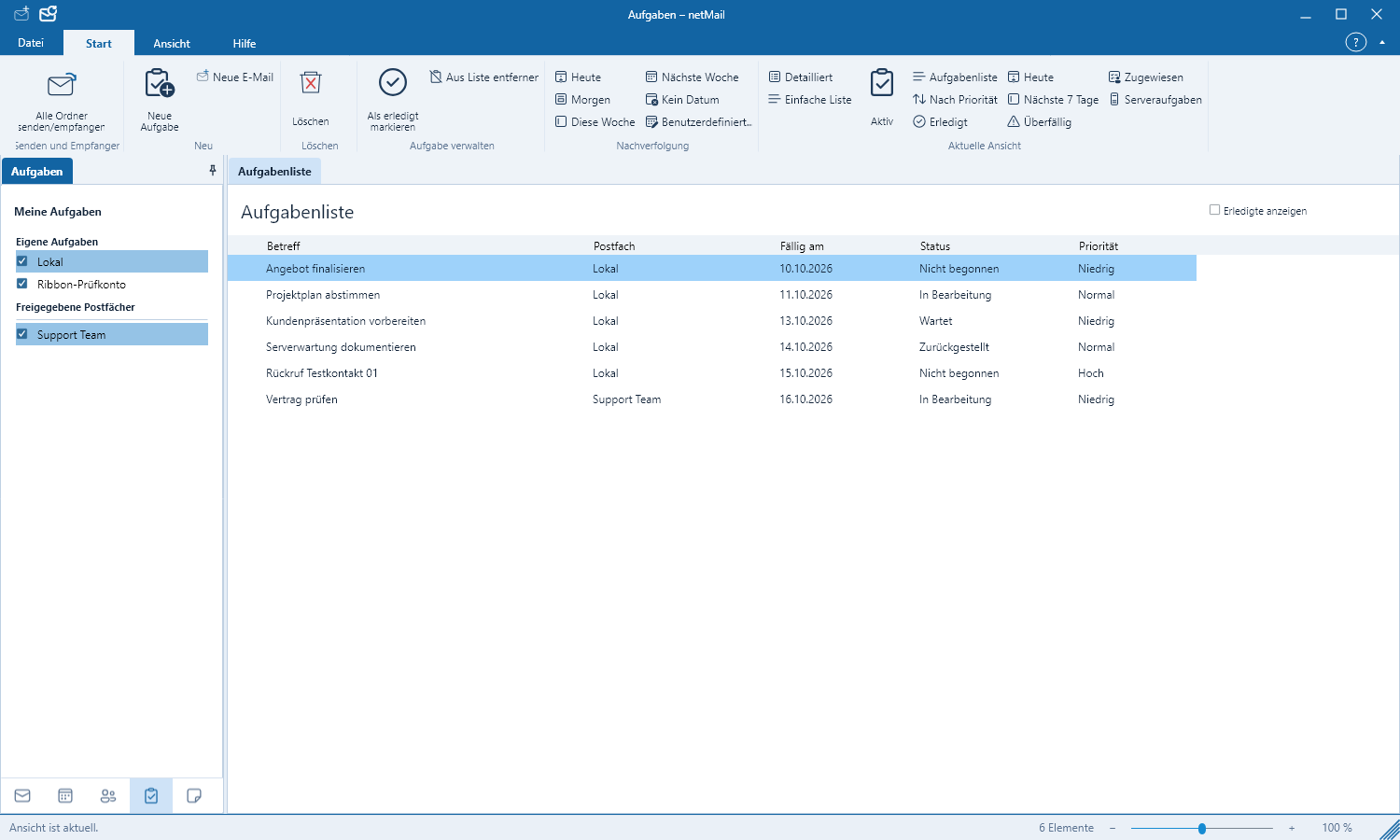
Keep tasks in view
Due date, priority, reminder and progress status help to order open items effectively. Changes are synchronized with the selected account.
Read more about tasks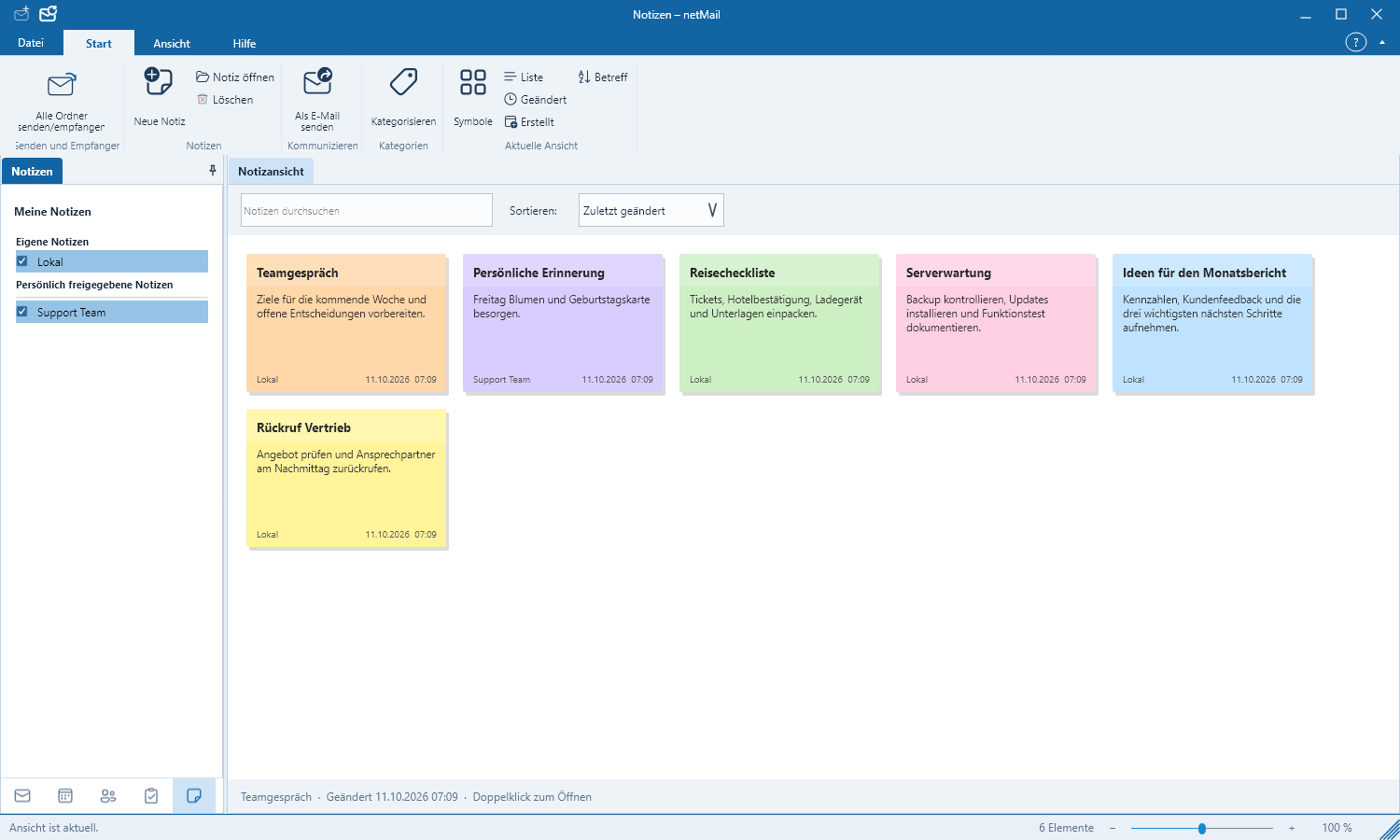
Capture information as notes
Short notes and longer texts can be searched, categorized and – depending on the account – synchronized with the server.
Read more about notes