Workflow Manager: reliably govern recurring processes.
Where a process repeats in similar form, the Workflow Manager replaces informal agreements with a traceable path. Each step has a status, an assigned responsibility, and a clear transition to the next step.
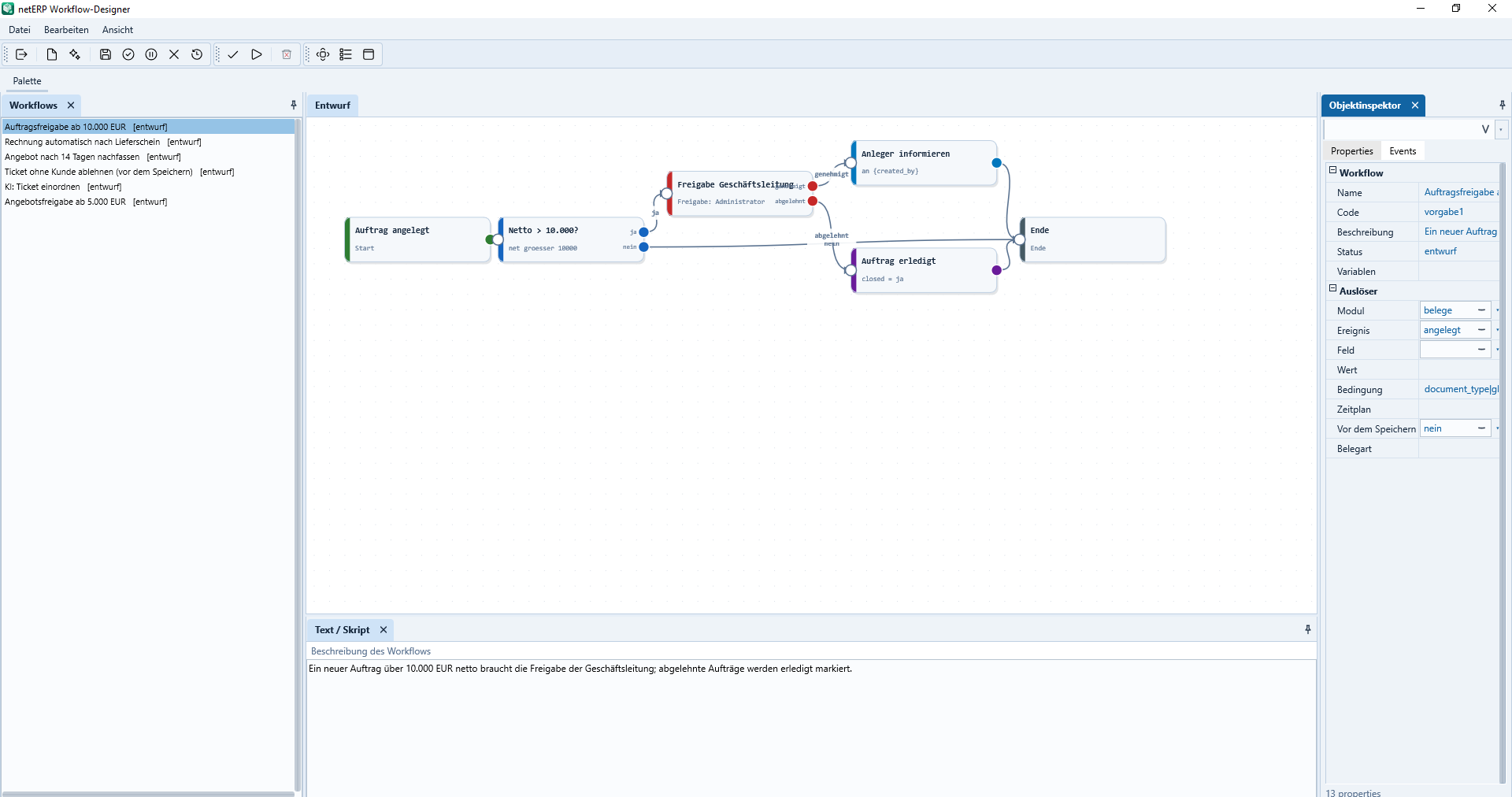
The process verifies the order value, requests approval if required, and forwards approval or rejection in a traceable manner.
Process stepsBreak recurring processes into comprehensible steps.
StatusEach process shows its current state and the next transition.
RolesAssign responsibilities to individuals, teams, or functions.
TraceableDocument handovers and decisions within the process.
In daily operations
The process defines the next logical step.
Workflows establish a common flow for processes that pass through multiple roles or departments. This makes it visible where a process stands and who continues it.
Structure workflows as a sequence of clearly named steps
Represent status changes and permitted transitions clearly
Assign steps to roles, teams, or responsible parties
Keep due dates and open handovers visible
Integrate workflows with CRM, projects, tickets and master data
Actual application interface
How the module operates in netERP.
The screenshots show a fully synthetic test tenant. Clicking an image opens it at full size.
netERP · Order approval with decision
Order approval with decisionThe process checks the order value, requests approval if required, and then continues with either approval or rejection in a traceable manner.Click image to enlarge
netERP · Create follow-up document automatically
Automatically create follow-up documentA completed delivery note triggers invoice creation and then records the result within the same workflow.Click image to enlarge
netERP · Embed AI step in the process
Embed an AI step into the workflowA defined AI step evaluates the synthetic ticket and passes the result as a variable to the following process step.Click image to enlarge
netERP · Follow up on open quotes
Follow up on open quotesAfter a waiting period, the workflow checks the document status and creates a task only for quotes that remain open.Click image to enlarge
netERP · Central workflow overview
View workflows centrallyThe list shows triggers, module, status, runs and errors of the existing workflows and provides a clear entry point for editing.Click image to enlarge
Typical process
From initial entry to a traceable result.
1
Define the workflow
Steps, statuses and responsible roles are defined.
2
Handle the transaction
The current step shows the task, responsibility and the next transition.
3
Review the history
Status changes and decisions remain traceable on the transaction.