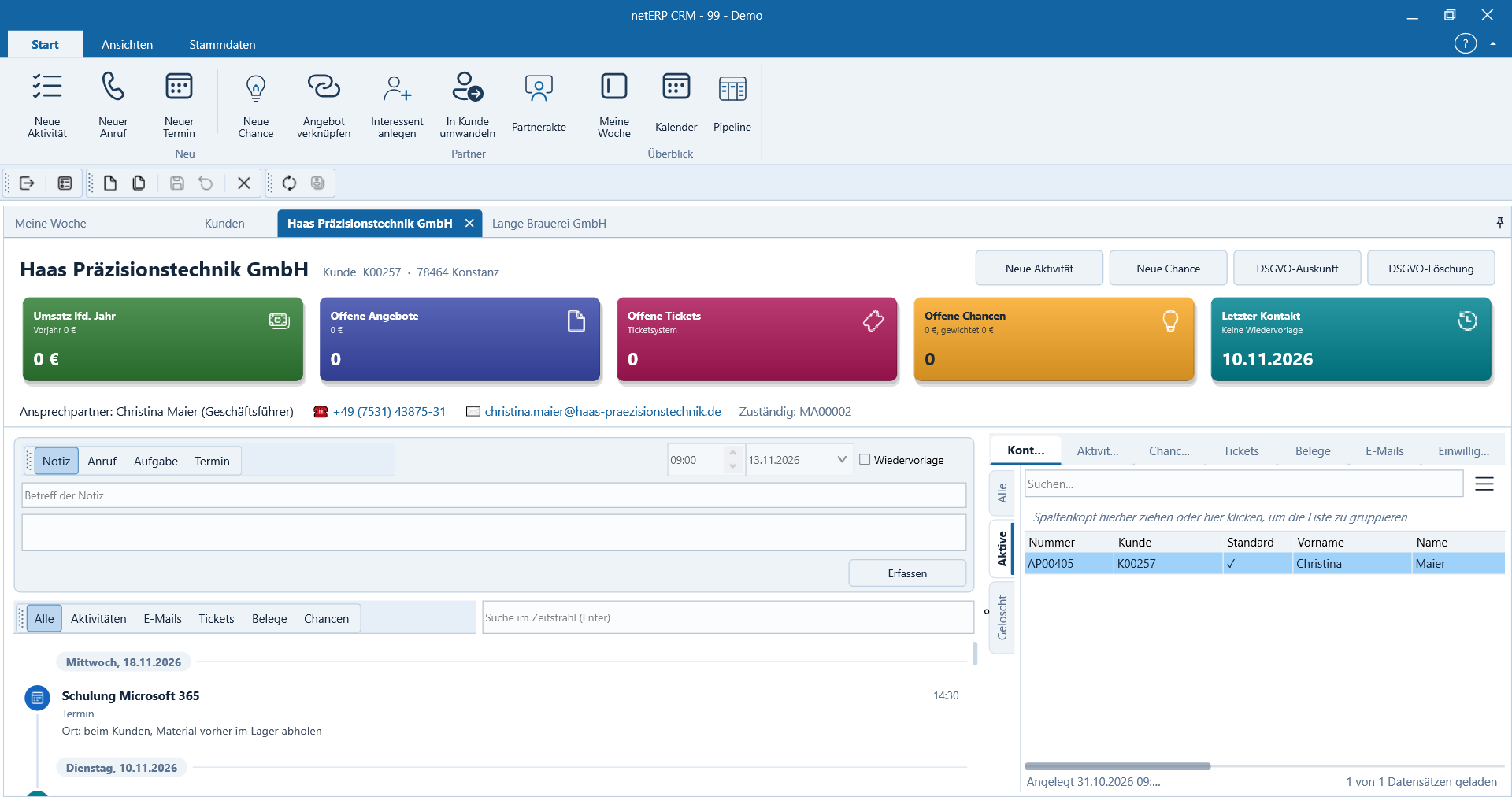
CRM: Contacts, activities and opportunities in a partner record.
The CRM consolidates the information that would otherwise be scattered across e‑mail, spreadsheets and individual notes in daily operations. Each activity remains with the correct partner and is linked to the other netERP areas.
Key figures, last contact, open opportunities, tickets and contact persons are displayed side by side in the selected partner record.
PartnerakteView contacts, addresses, history and open items together.
AktivitätenAssign conversations, notes, tasks and e‑mails traceably.
ChancenManage sales opportunities with stage, next step and responsibility.
KampagnenInclude target groups and GDPR consents in the same dataset.
In daily operations
The customer relationship stays connected.
The CRM supplements the commercial master data with the ongoing relationship: conversations, tasks, e‑mails, opportunities and campaigns become visible where sales and service need them.
Open partners and contact persons with their related items in a single record
Record activities, tasks and reminders directly on the partner
Automatically assign e‑mails to the appropriate partner
Track sales opportunities as a pipeline instead of in individual notes
Manage campaigns and consents based on the same master data
Real application interface
How the module operates in netERP.
The screenshots show a fully synthetic test tenant. Click any image to open it at full size.
netERP · Customer relationship at a glance
Customer relationship at a glanceMetrics, last contact, open opportunities, tickets and contacts are shown side by side in the selected partner record.Click image to enlarge
netERP · Instantly get an overview of customers and prospects
Get an immediate overview of customers and prospectsThe sortable and groupable list shows number, company, location and contact details; the full-text search remains accessible directly above.Click image to enlarge
netERP · Open the complete customer master data
Open the complete customer master dataAddress, communication, options, prices, payments, custom fields and data protection are presented as clearly separated sections within the same record.Click image to enlarge
netERP · Manage all activities as a task list
Manage all activities as a task listCalls, appointments, tasks, visits and emails can be filtered by partner, responsibility, due date and completion.Click image to enlarge
Document every contact for traceabilityType, direction, partner, contact person, time and outcome remain associated with the individual activity.Click image to enlarge
Typical workflow
From the initial entry to a traceable result.
1
Open partner record
The partner record displays master data, contacts and the history to date.
2
Create a case
An activity, opportunity, task or message is assigned to the partner.
3
Manage the next step
Responsible parties see open tasks and the current status.