Report Generator: Tailor documents and reports to the required appearance.
From the data in netERP, documents and reports are produced in the required appearance. Layout, letterhead and language-dependent variants are maintained centrally and assigned to the appropriate transactions.
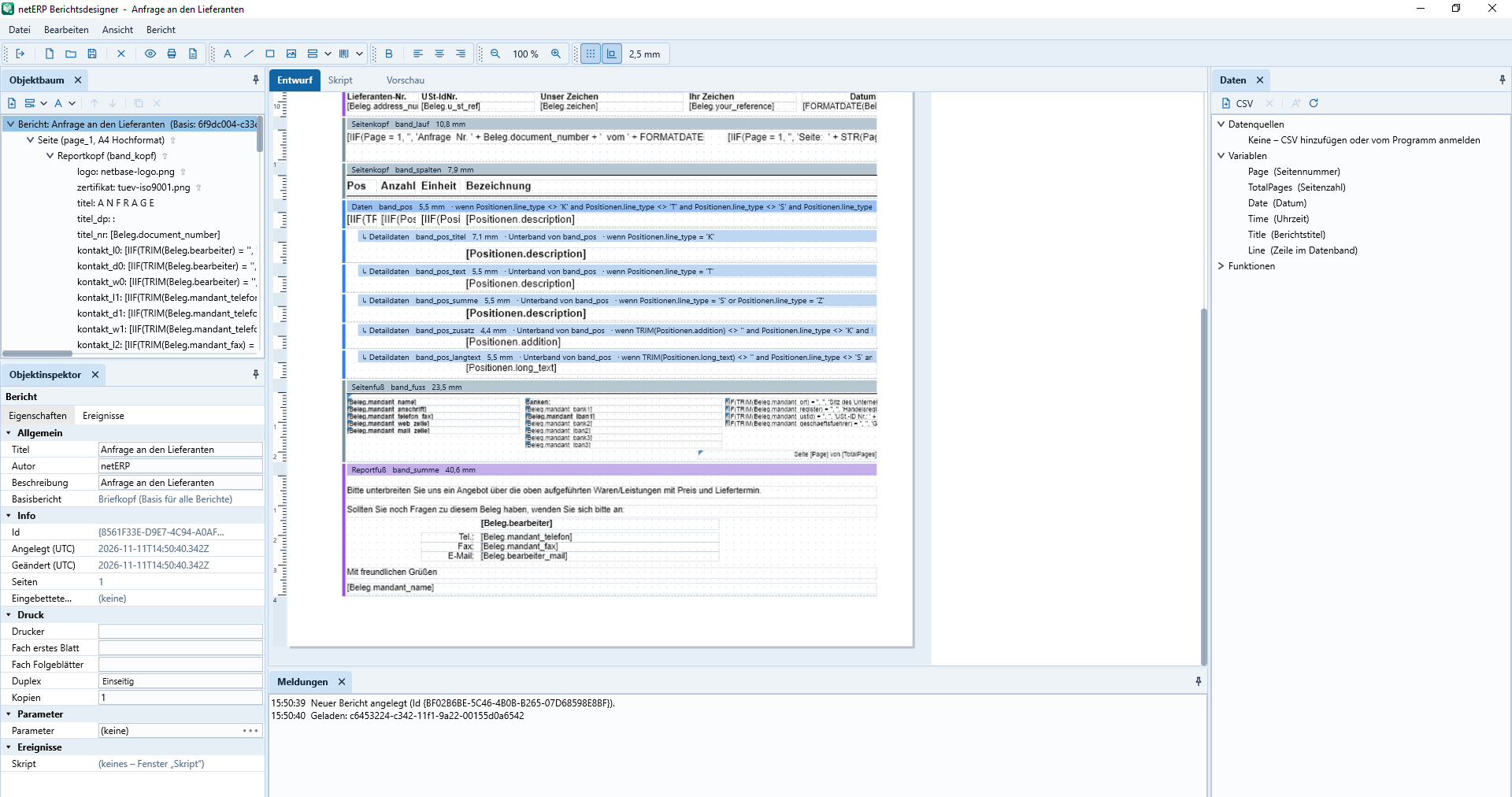
Object tree, properties, design surface and data sources show the complete structure of a supplier inquiry.
Report designerArrange elements, fields and sections within the layout.
LetterheadMaintain recurring design centrally and propagate it.
VariantsAssign standard reports by document type, tenant and language.
OutputPrint documents and reports or provide them as PDF.
In daily operations
A single dataset, multiple outputs.
The report designer separates content and output. Thus document types, languages and tenants can rely on shared foundations while still receiving the appropriate presentation.
Design reports and accounting documents in the designer
Arrange data fields, text and layout areas together
Maintain letterheads as a reusable foundation
Define standard reports by document type and language
Generate print and PDF outputs from the same report
Actual application interface
How the module works in netERP.
The screenshots show a fully synthetic test tenant. A click opens each image at full size.
netERP · Inquiry in the Report Designer
Inquiry in the Report DesignerObject tree, properties, design surface and data sources show the complete structure of an inquiry to the supplier.Click image to enlarge
netERP · Central report management
Central report managementThe overview organizes reports by key, title, module, document type, language, paper format and release status.Click image to enlarge
netERP · Design order confirmation
Design order confirmationHeader, address area, document data and item bands are arranged together on the design surface and reused.Click image to enlarge
netERP · Connect data fields and expressions
Connect data fields and expressionsA selected text field shows the formatting formula and properties while the available document data source is displayed directly beside it.Click image to enlarge
netERP · Generate project plan as a report
Generate project plan as a reportThe project plan report combines header data, project overview, roadmap and additional bands into a print- and PDF-ready output.Click image to enlarge
Typical process
From initial engagement to a traceable result.
1
Select report
Document type, analysis and desired language variant define the scope.
2
Design the layout
Data fields, text, sections and letterhead are arranged.
3
Assign default
The validated variant is assigned to the appropriate client and transaction.