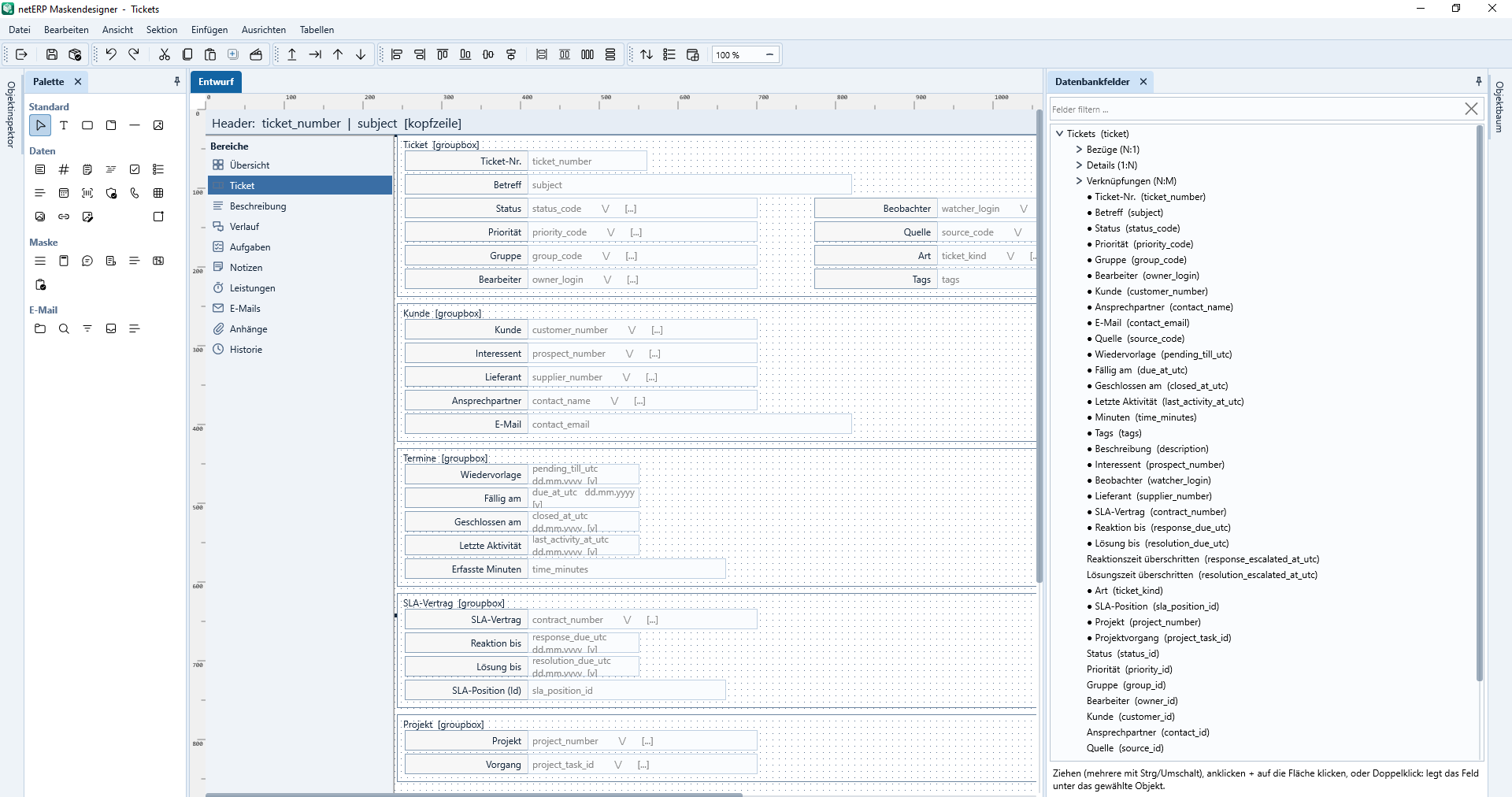
The Mask Designer works like a lightweight development environment. Palette, Object Inspector and Object Tree expose the existing form and allow targeted adjustments for the respective tenant.
Palette, Entwurfsfläche, Bereichsnavigation und Datenbankfelder zeigen die vollständige Struktur der Ticketmaske nebeneinander.
PaletteUse available fields and controls selectively.
ObjektinspektorEdit properties, spacing and events in a clear, traceable manner.
ObjektbaumGet a structured overview of nested containers and tabs.
MaskenskriptCheck and augment inputs on open, save or field change.
Im Arbeitsalltag
Adapt without building a separate interface.
Fields and containers are placed directly in the existing form. Events and a Pascal-based mask script are available for functional validations and extensions.
Arrange fields, tabs and containers with the mouse
Edit properties in the Object Inspector
Select and reparent elements in the Object Tree safely
Save mask versions and activate them for the tenant
Add events with Pascal scripts and F1 examples
Actual application interface
How the module operates in netERP.
The screenshots show a fully synthetic test tenant. Click an image to open it at full size.
netERP · Edit ticket form in the Designer
Edit ticket form in the DesignerPalette, design surface, section navigation and database fields display the complete structure of the ticket form side by side.Click image to enlarge
netERP · Set properties precisely
Set properties preciselyThe Object Inspector makes data binding, label, position, behavior, spacing and appearance of the selected field editable.Click image to enlarge
netERP · Get an overview of nested structure
Overview of nested structureThe object tree displays areas, groups and fields hierarchically and enables accurate selection within complex masks.Click image to enlarge
netERP · Functionally structure the item mask
Functionally structure the item maskThe design view links item areas, input fields and database fields into a mask tailored to operational workflows.Click image to enlarge
netERP · Verify adjustment at runtime
Verify adjustment at runtimeThe production item mask shows the result including description, classification, units, cost accounting, warranty and other details.Click image to enlarge
Typical workflow
From getting started to a traceable result.
1
Open the mask
The production interface is displayed in the designer as a structure.
2
Adjust layout
Fields, containers, tabs and properties are adjusted.
3
Activate version
The validated mask version is released to the designated users.